8. The desktop app
agentprov-gui is a desktop viewer and job runner for AgentPROV corpora, written with PySide6 (Qt Widgets). It is a
separate uv project in gui/, with its own lockfile, and it imports only an allowlisted, read-only part of the core.
Three rules shape everything it does:
- It never writes a corpus itself. Opening a corpus is read-only: no file is written and no lock is taken.
Everything that writes runs as an
agentprovcommand in a separate process, and the app shows you that exact command, with its tier, before it starts. - Content stays hidden until you ask for it. Message text, tool arguments and tool results are shown as a placeholder with their length and digest. A Show content switch shows them escaped and fenced, because corpora contain prompt-injection payloads by design.
- Every action has a CLI equivalent (the parity rule), and every setting that changes a run, its data or stored
state is an
agentprov settingskey. This chapter names the command for each action. A test walks the CLI's parser and the app's windows and fails when either side has something the other lacks.
The screenshots were made by gui/tools/screenshots.py on macOS with the native toolbar, in the light appearance, on
synthetic corpora (the three AgentDojo test logs, and that corpus after agentprov derive) with a temporary
AGENTPROV_HOME. The script refuses to save an image whose visible text matches an account path, an e-mail address or a
key shape. The Run Live screenshots use stub answers instead of a backend, a keychain or a model server; they say so
below.
Starting the app
From a checkout:
uv sync --project gui
uv run --project gui agentprov-gui [CORPUS]     # optionally open a corpus directory at start
Only one copy runs at a time ("AgentPROV is already running"), because the app drives the job queue. At start it asks
the configured checkout's CLI, or without a checkout the installed one (below), for its version (agentprov
--version). With neither, or a CLI whose record formats differ from the app's own library, it runs as a viewer only
and says why in the status bar.
Bundles. uv run --project gui python gui/tools/build_bundle.py builds a one-folder application outside the
repository. It carries this user guide (the chapters and their pictures, as they were when it was built), which
Help › Docs shows when no checkout is set. A bundle has no agentprov command of its own: with a checkout set in
Settings › General the app runs that checkout's CLI; without one it runs the agentprov installed with
pip install agentprov (Python 3.14 or later; Installation), the one named in Settings › General ›
agentprov program, else the first on PATH, then in ~/.local/bin, /opt/homebrew/bin and /usr/local/bin (an app
started from the Finder or a desktop menu does not see your shell's PATH). That is enough for Help › Assistant, the
Settings panes and the jobs of the commands the package has. Live runs and the repository's own tools (Dev Runs, local
CI, the job queue) still need a checkout, since the backend projects are not in the package (D-1030).
| Platform | Bundle | State |
|---|---|---|
| macOS (Apple silicon) | AgentPROV.app (in AgentPROV-macos-arm64.dmg), signed ad hoc (no Apple Developer ID, no notarisation) |
built and tested on the development Mac. On another Mac, macOS refuses the first launch: open System Settings › Privacy & Security and click Open Anyway (macOS 15 and later no longer offer Control-click › Open for this) |
| Linux aarch64 | .tar.gz |
a bundle built from main in a clean Ubuntu 24.04 VM is tested on a clean Ubuntu 24.04 machine (G5 clean-machine run, package sha256:9cb011da…85d7; report). Needs glibc 2.39 or newer and the X11 libraries libxcb-cursor0 libxcb-icccm4 libxcb-keysyms1 libxkbcommon-x11-0 libegl1 libfontconfig1. Released with v0.1.0 as AgentPROV-linux-aarch64.tar.gz |
| Linux x86_64 | .tar.gz |
a bundle built from main in a clean Ubuntu 22.04 VM is tested on a clean Ubuntu 22.04 x86_64 machine under emulation (QEMU on Apple silicon, not x86_64 hardware; package sha256:8e57c020…de29; report). Needs glibc 2.35 or newer and the same X11 libraries as aarch64. Released with v0.1.0 as AgentPROV-linux-x86_64.tar.gz |
| Windows ARM64 | one folder (zip), unsigned (SmartScreen: More info, then Run anyway) | a bundle built from main in a clean Windows 11 ARM64 VM is tested on a clean Windows 11 ARM64 machine (G5 clean-machine run, package sha256:269a75f7…dfbc08; report). Released with v0.1.0 as AgentPROV-windows-arm64.zip. One intermittent job-stop failure seen on a branch run stays open. Live runs (agentprov run) are not available on Windows ARM64 in v0.1: the AgentDojo backend cannot be installed there (no torch wheel); use macOS or Linux (D-867). The machine-wide job queue is not available on Windows |
| Windows x86_64 | one folder (zip), unsigned (SmartScreen: More info, then Run anyway) | a bundle built from main is tested under emulation (Windows 11 on ARM's x64 emulation, a clean machine, not x86_64 hardware; package sha256:5c17b051…14be; report). Live runs (agentprov run) are not available on Windows in v0.1; use macOS or Linux (D-867). Released with v0.1.0 as AgentPROV-windows-x64.zip. The machine-wide job queue is not available on Windows |
Each release bundle carries its bundle-report.json (its checks, interpreter, glibc floor, signature and sha256). The
Linux and Windows bundles have passed the clean-machine tests above (D-750, G5); the x86_64 ones were tested under
emulation.
The window
The sidebar has four sections: Corpora (Viewer), Jobs (Runs, Logs, System), Release (Licences, Package) and Help (Docs, Assistant). The menus repeat every action: File (Open Corpus… ⌘O, Reload ⌘R, Run Live… ⌘L, New Job… ⌘N, Dev Run…, Open in New Tab, Close Tab ⌘W, Close Other Tabs ⌥⌘W, Close Window ⇧⌘W), Edit (Settings… ⌘,), View (Toggle Sidebar ⌃⌘S; Text Size: Bigger ⌥⌘=, Smaller ⌥⌘−, Default ⌥⌘0), Go (⌘1 to ⌘8 for the eight pages; Corpora, Next Tab ⌘⇧], Previous Tab ⌘⇧[), Window (macOS) and Help (About AgentPROV, AgentPROV Help ⌘?, Ask the Assistant, Keyboard Shortcuts). On macOS, Settings… and About AgentPROV sit in the AgentPROV menu; on Windows and Linux, ⌘ is Ctrl. On macOS the native toolbar holds Toggle Sidebar, Open Corpus, Reload, New Job, Dev Run, the job count and a search field that filters the Viewer by execution id; elsewhere a Qt toolbar holds the same actions and the search field, and the job count is at the right of the status bar.
Viewer
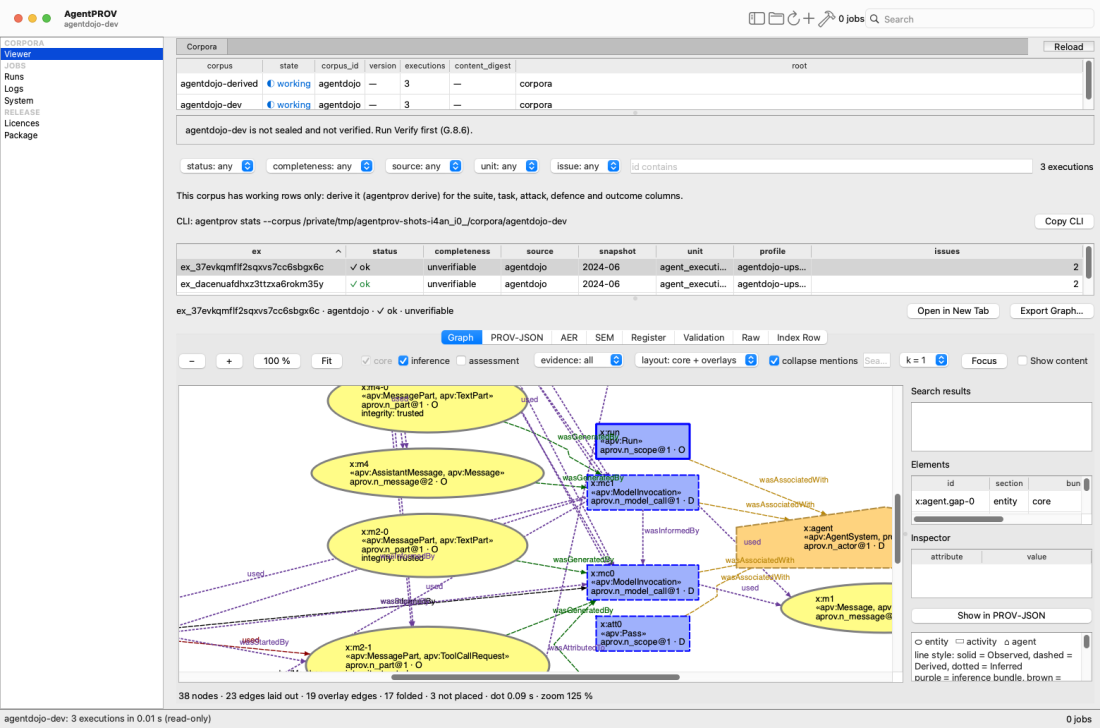
The Viewer with the demo working corpus: the corpora list, the "not sealed and not verified" banner, the filters, the
hint to derive the corpus for task and outcome columns, the agentprov stats line with Copy CLI, the executions table and
the graph of one execution's core and inference bundles. The ⚑ marker appears on a derived corpus (next picture).
The Viewer has a tab bar at the top. Its first tab, Corpora, is the corpus browser described below and cannot be closed; every other tab is one execution you opened (see Execution tabs). Reload and the count of open tabs sit at the right end of the bar. In the Corpora tab, from top to bottom:
- Corpora: the corpora found under the corpus roots (Settings › General), with state (◐ working, ✓ sealed, ✎ being written), corpus id, version, execution count, content digest and root folder. Reload rescans the roots. Opening a corpus reads its files only.
- The banner says whether the corpus is a working tree, sealed but not verified by this app, or sealed and verified
(with the level, date and job). Verification is a job:
agentprov verify --corpus DIR. A corpus built with--skip-prov-conformancegets a Revalidate (full recompute)… button, which opens the Recompute form with--out <corpus>-revalidated --stages sem,prov,validation. - Filters: status, completeness, source, unit and issue, and id contains. On a derived corpus a second row adds
the task and outcome pickers: suite, attack, injection task, defence, model.requested, utility and attack succeeded.
On a working corpus with plain index rows the app says to derive it first (
agentprov derive). - The CLI line (
CLI: agentprov stats --corpus … --select …) is theagentprov statscommand that selects the rows shown. Copy CLI copies it; it runs nothing. The id search has no CLI selector, and the line says so. - The executions table sorts by any column. Columns that are empty for every row are left out. A click (or ↑↓) shows the row in the preview below; a double-click, Return, or Open in New Tab (the preview's button, the row's context menu, the File menu) opens it in a tab of its own.
- The preview: Graph, PROV-JSON, AER, SEM, Register, Validation, Raw and Index Row (the checked index row as JSON) of the selected row. Export Graph… renders the execution as a job.
Execution tabs
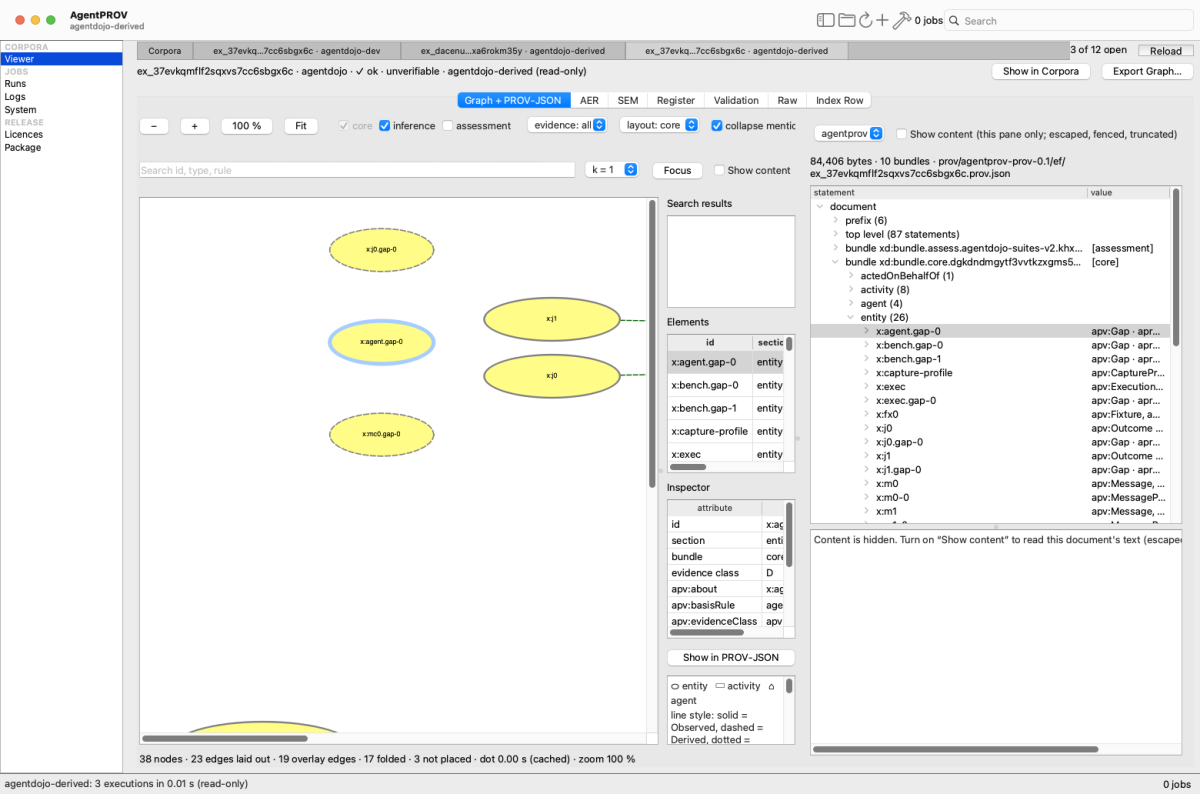
Three executions open in tabs, from two corpora, so each tab names its corpus too. The current tab shows its graph and PROV-JSON side by side, with one statement selected in both.
- What a tab holds. The first sub-tab, Graph + PROV-JSON, puts the graph and the PROV-JSON tree (above its raw text) side by side; drag the divider to give either more room. Selecting a node selects its statement in the tree, and selecting a statement selects its node. AER, SEM, Register, Validation, Raw and Index Row follow as sub-tabs. Show in Corpora selects the execution's row in the Corpora tab (opening its corpus again if another one is open); Export Graph… works as in the preview. Show content starts off in every new tab.
- Titles. A tab shows the execution id, shortened in the middle; its tooltip gives the full id, the corpus name and the corpus path. While tabs from more than one corpus are open, each title adds its corpus name.
- Opening it again brings its existing tab to the front.
- At most 12 tabs. Opening a 13th closes the tab you looked at least recently (never the current one), and the status bar says which. To keep memory down, only the current tab and the three most recently viewed keep their graph drawn; the others redraw from their saved layout when you come back to them.
- Other corpora. Opening another corpus keeps the tabs open, so you can compare an execution across corpora. A tab is a read-only snapshot of what it loaded; on a corpus that a job is writing, its title row gives the time it was loaded. Reload Execution (the tab's context menu) reads it again; if the corpus is gone, the tab says so and keeps the snapshot.
- Keys. ⌘W closes the current tab (on the Corpora tab it closes the window); ⌥⌘W closes the other tabs; ⌘⇧] and ⌘⇧[ switch tabs (Ctrl+PgDown and Ctrl+PgUp on Windows and Linux); ⌃Tab and ⌃⇧Tab switch the sub-tabs inside a tab. A middle-click on a tab closes it. The tab's context menu has Close Tab, Close Other Tabs, Show in Corpora, Reload Execution and Copy Execution Id.
Outcome columns and the attack-succeeded marker
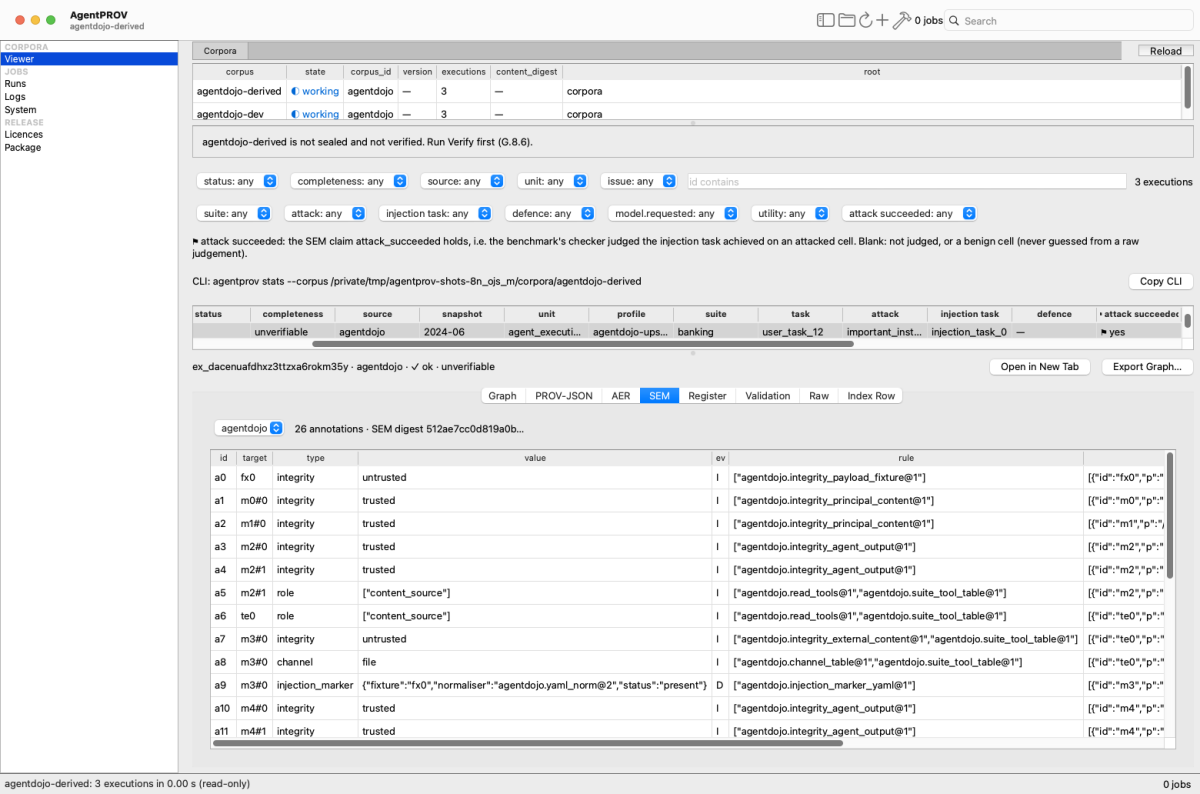
The derived demo corpus. The selected row is an attacked cell whose attack succeeded (⚑ yes); the SEM tab lists its annotations.
A row gets the ⚑ marker, and a tint, only when the SEM claim attack_succeeded holds: the benchmark's checker judged
the injection task achieved on an attacked cell. A blank means not judged, or a benign cell. The marker is never
guessed from a raw judgement. The legend under the pickers says this in full.
The graph
The Graph tab (in the preview, and on the left of an execution tab) draws the agentprov-prov/0.1 document of the
execution. Its toolbar has zoom (−, +, 100 %,
Fit), the bundles (core always on; inference on by default; assessment off), an evidence filter (all, only Observed,
only Derived, only Inferred), the layout (core with overlays, or a full layered layout), collapse mentions, a search
box (id, type, rule), k-hop Focus and Show content. The side panel lists search results and every element; clicking
a node fills the Inspector, and Show in PROV-JSON jumps to its statement. The legend matches agentprov render:
entities are ovals, activities boxes, agents house shapes; solid borders are observed, dashed derived, dotted inferred.
Layout uses Graphviz dot when it is installed and the graph is small enough, and the app's own layered layout
otherwise.
The other tabs
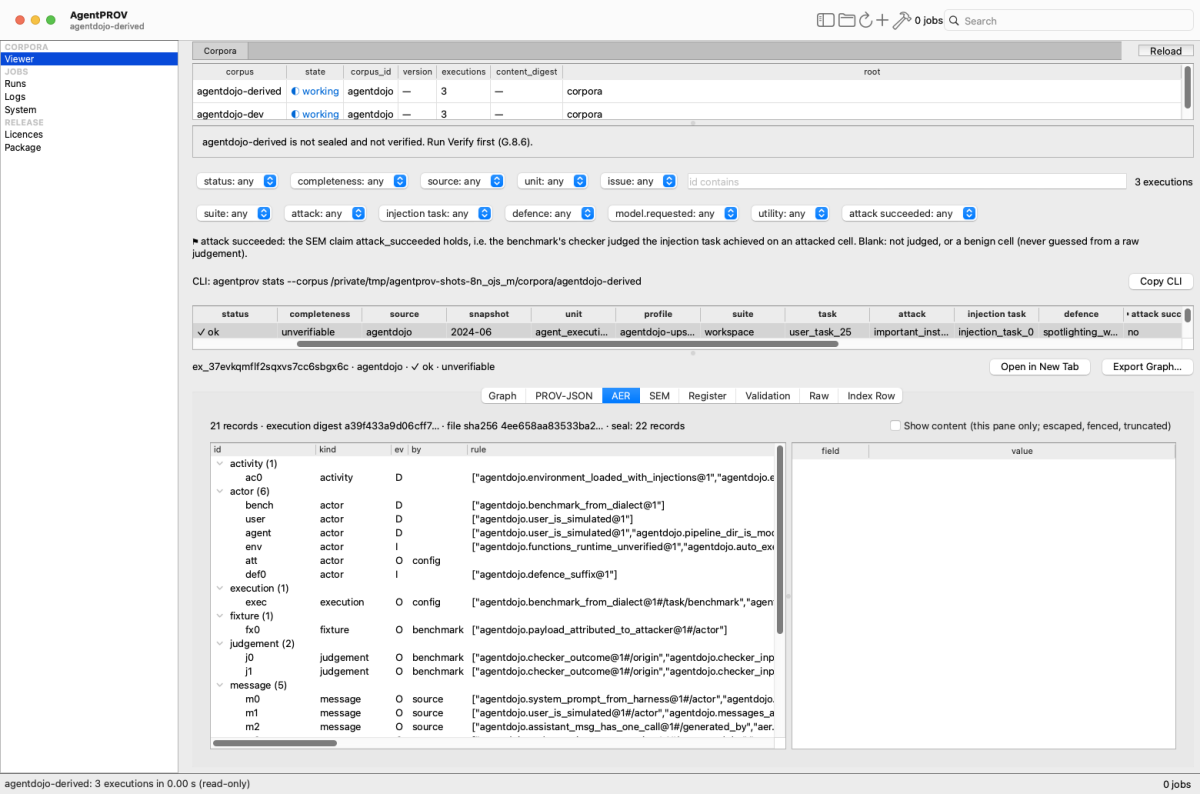
The AER tab: records grouped by kind, each with its evidence class (ev), attesting party (by) and rules. The
selected row in the table above is an attacked cell whose attack did not succeed (attack succeeded: no).
| Tab | Shows |
|---|---|
| PROV-JSON | the document as a tree of statements; the raw text only with this pane's Show content switch |
| AER | records by kind with id, kind, ev, by, rule, src, unk, after, and the fields of the selected record |
| SEM | the annotations of the chosen semantics profile: target, type, value, evidence class, rule, premises |
| Register | the register rows of the execution: code, severity, stage, disposition, rule |
| Validation | the verdict and each check's result |
| Raw | the raw artefacts (role, sha256, included); content is not shown |
| Index Row | the execution's index row, as JSON |
CLI equivalents. agentprov inspect ID --corpus DIR shows the same records as text (--view records, evidence,
sem, prov, raw); agentprov stats --corpus DIR --select … counts the rows a filter selects; agentprov render
--corpus DIR --ex ID draws the graph to a file.
Runs
The Runs page starts and follows jobs. Its top bar has ▶ Run Live…, New Job ▾ (a menu of every form, below),
Dev Run… and Live Dev Run…. A job is a detached agentprov process (agentprov jobs start … -- <command>): it
keeps running when the window closes, and the app finds it again when it reopens.
Jobs
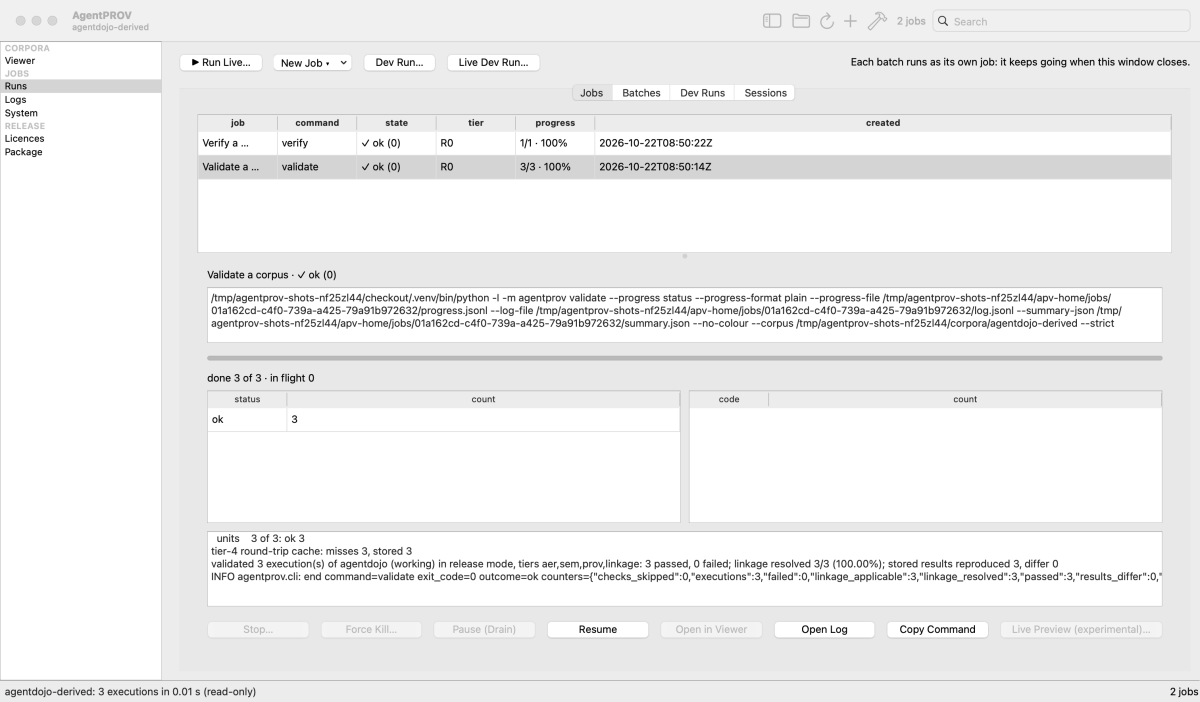
Two finished jobs on the derived demo corpus (validate and verify), and the dashboard of the validate job: its exact command, progress, counts by status and the end of its stderr.
The job list shows each job's label, command, state, tier, progress and start time. The dashboard of the selected job shows its command, a progress bar with rates and an ETA range, counts by status and by issue code, and the last part of its stderr.
| Button | What it does | CLI equivalent |
|---|---|---|
| Stop… | a graceful stop, after a confirmation | agentprov jobs stop ID |
| Force Kill… | kills the job's process tree, after a confirmation (it can leave a stale lock) | agentprov jobs kill ID --yes |
| Pause (Drain) | finishes the units in flight and starts no new ones (jobs started with a control file) | agentprov jobs drain ID |
| Resume | starts the same command again as a new job, after the tier confirmation; the command's own resume rules decide what is redone | agentprov jobs resume ID |
| Open in Viewer | opens the corpus the job wrote | — |
| Open Log | the job's log on the Logs page | agentprov jobs follow ID --log |
| Copy Command | copies the job's command | — |
| Live Preview (experimental)… | a provisional graph of a running live capture (below) | — |
From a terminal, the same jobs:
$ agentprov jobs start --label "demo verify" --reads corpora/demo -- verify --corpus corpora/demo
started 01a162e4-ce91-76d9-94c0-7b6047e6b610 (verify, tier R0): …/jobs/01a162e4-ce91-76d9-94c0-7b6047e6b610
$ agentprov jobs list
01a162e4-ce91-76d9-94c0-7b6047e6b610  ended exit 0  verify  demo verify
$ agentprov jobs show 01a162e4-ce91-76d9-94c0-7b6047e6b610
01a162e4-ce91-76d9-94c0-7b6047e6b610  ended exit 0  verify  demo verify
  stderr: …
  stderr: agentprov verify: level chain: passed; 0 failed, 0 unverified or tombstoned
  stderr: root digest sha256:2d5372e2db9b555f0c2c552206363b8694808fe124457b875a1e9091429dcba3
  …
Each job runs in its own folder under $AGENTPROV_HOME/jobs/, so jobs start turns the relative paths of the options
and positional arguments it recognises into absolute ones against your current directory before the job starts (the
arguments of --tool are left as given). The app's forms still require absolute paths and refuse relative ones.
agentprov jobs prune deletes old ended jobs (it lists them without --yes).
Batches
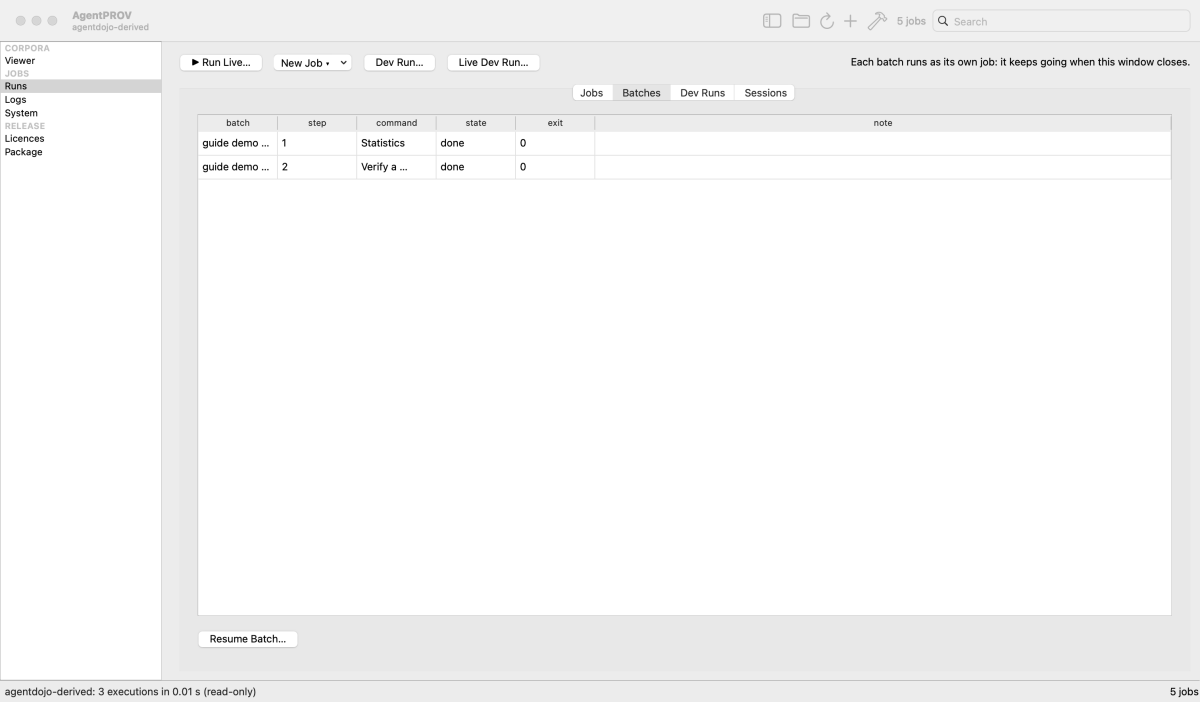
A two-step batch on the derived demo corpus (statistics, then a checksums verification), both steps done.
A batch is an ordered list of jobs that runs as one job of its own, so it also keeps going when the window closes. By
default it stops after a step that ends with exit 4 or 70; the setting jobs.continue_on_failure (Settings › Jobs)
changes that. Resume Batch… confirms each held step and starts a new driver.
CLI equivalents: agentprov batch create SPEC.json (or --stdin), agentprov batch start ID, agentprov batch resume
ID, agentprov batch list, agentprov batch show ID. A batch's R2 steps (network or paid calls) run only with
--confirm-r2.
Dev runs
A dev run is a quick end-to-end check before a full import. It takes a few executions (5 by default) of every
importable part from the fetch cache, offline, imports each part into a fresh scratch corpus under
$AGENTPROV_HOME/dev-runs/<UTC time>/, then runs validate and recompute --dry-run on it, all as one batch through
the job queue. It never uses --release, package or a stored corpus, and it keeps the last few runs. The Dev Runs tab
shows each part's results; Settings › Dev Runs holds the choices.
$ agentprov devrun plan
60 part(s), 180 step(s) (through the job queue)
  adprov-v1/release: 5 sample(s) (first)
  agent-security-tools-survey/agentdojo-runs: 5 sample(s) (first)
  …
  yockcheng-prompt-injection-harness/head: 5 sample(s) (first)
CLI equivalents: agentprov devrun plan, agentprov devrun start --confirm-r2 (the imports read the fetch cache, which
counts as R2), agentprov devrun list, agentprov devrun prune. Live Dev Run… opens Run Live preset for a small
scripted capture into a new dev-run folder ($AGENTPROV_HOME/dev-runs/<UTC time>/live-agentdojo), with the call and
cost caps from Settings › Dev Runs.
The Sessions tab is a read-only view of the development sessions that share the machine
(tools/queue_status.py --json, every 30 s while the tab is visible); it is meant for the project's own workflow.
New Job
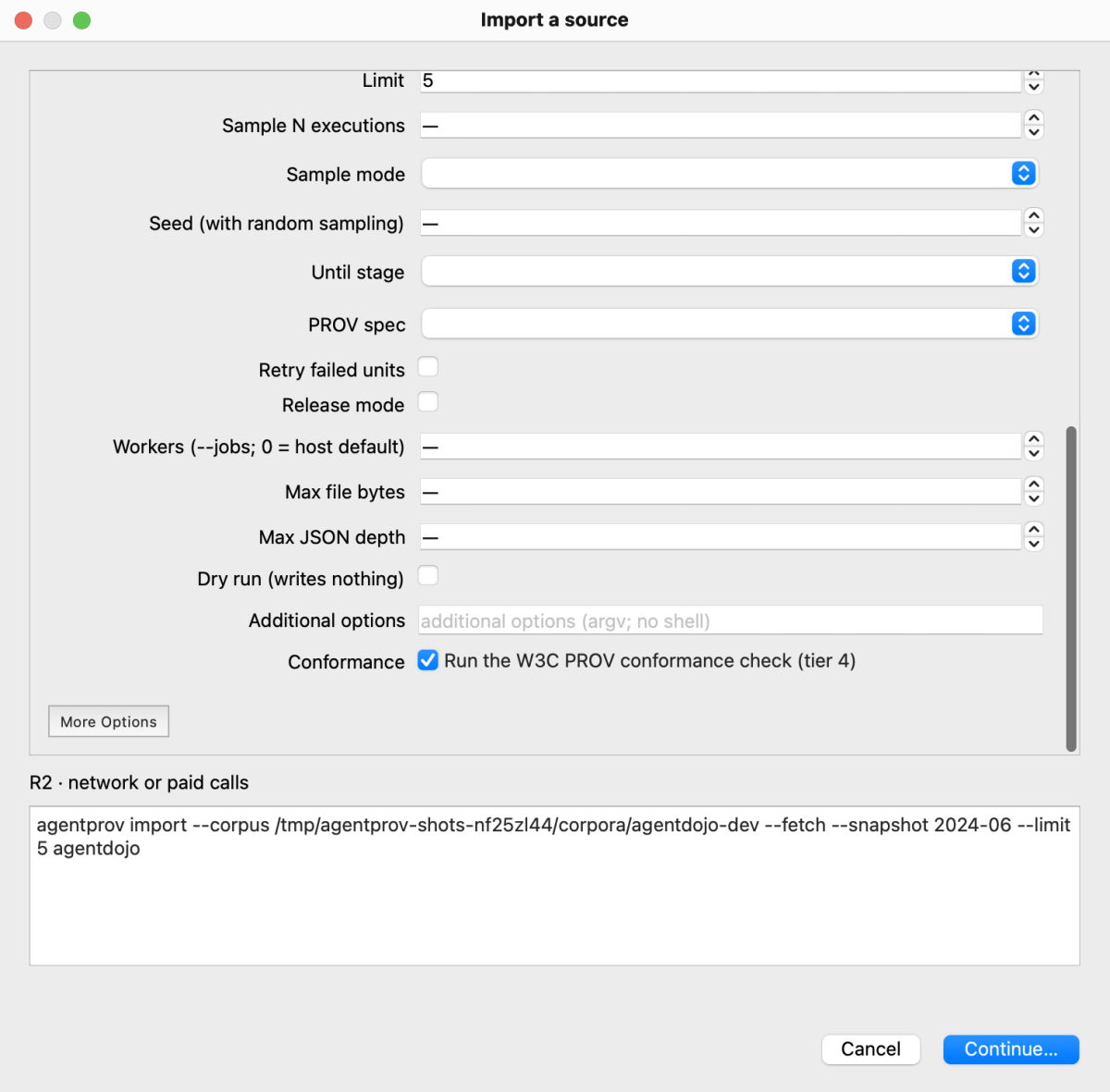
New Job: the import form, scrolled to its end. Under the form: the tier and the exact command that will run.
New Job ▾ lists a form for each command: Info, Model lists, Validate a corpus, Verify a corpus or deposit, Render
graphs, Derive a new corpus version, Recompute and compare, Import a source, Fetch pinned upstream bytes, Statistics,
Seal a working corpus, Build a deposit draft (never uploads), Build a collection index deposit (never uploads), Purge a
leaked object (irreversible), Run CI locally, Refresh model prices, Build a backend environment, Inspect an execution,
file or corpus, and the migration gates. Each form is built from the command's options; More Options shows the rest,
including the global options, and Additional options takes any other option as argv (no shell). Required fields are
marked *; paths must be absolute.
Before a job starts the dialog shows the exact command and its tier:
| Tier | Meaning | Confirmation |
|---|---|---|
| R0 | read-only | none |
| R1 | writes local data | lists what is written |
| R2 | network, downloads or paid calls | a tick box |
--fetch makes an import R2 even when the cache already holds the pin, because the form cannot know that. A purge also
asks you to type the first 8 hex digits of the object, and only then adds --yes.
The conformance box. Every form that generates PROV (import, derive, recompute, run) has a Run the W3C PROV
conformance check (tier 4) box, ticked by default. Unticking it adds --skip-prov-conformance and shows a warning each
time, with Keep the Check as the default: a corpus built without the check is marked unvalidated, cannot be sealed,
and needs a full recompute --out to clear the mark (chapter 4).
The box is enabled only when the command's --help offers the option.
Some options are never offered: --show-content, --log-content, --env-file, the job manager's own files
(--progress-file, --log-file, --summary-json, --control-file) and --json.
CLI equivalent: the command in the preview, exactly as shown.
Run Live
Run Live… (⌘L; Ctrl+L on Windows and Linux) configures a live capture, shows its estimate, confirms it and hands it
to Runs as a job. On this build the agentdojo, autodojo and agentdyn live parts are partial (as is agentharm),
so a real model can be started: from the dialog, with the same consent, caps and containment that agentprov run
demands (chapter 7). A part that is still planned allows scripted runs only, and the dialog says
why Start is disabled. A real run needs consent ticked in the confirmation; nothing in this guide ran one.
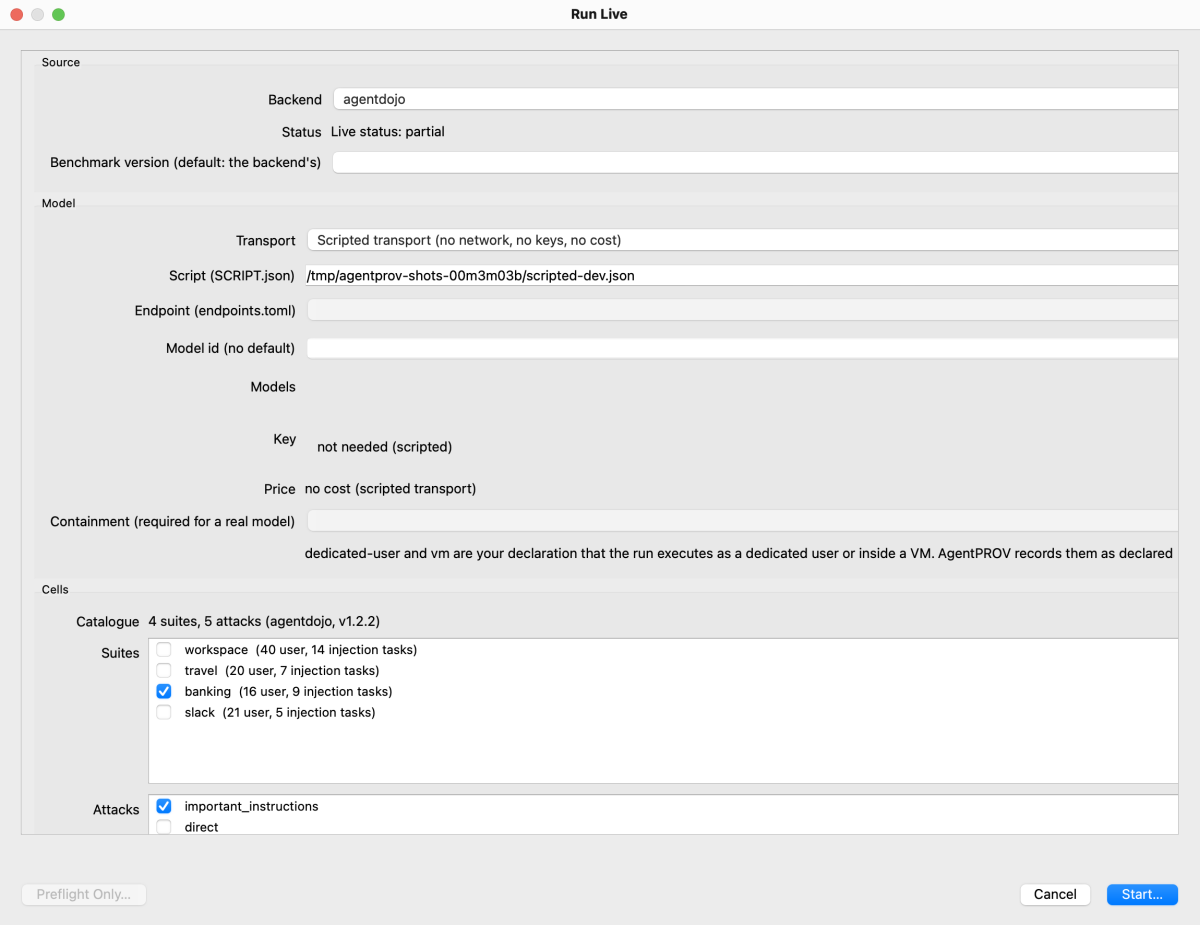
Run Live with the scripted transport. The backend's catalogue, the live status (partial) and the estimate come from
stub answers in the screenshot script (a subset of AgentDojo's suites and attacks); nothing ran.
- Source. The Backend picker lists the live backends; one whose environment is not built says so, with the build
command. Status shows the part's live status (
agentprov info SOURCE --format json). The benchmark version defaults to the backend's. - Model. Transport is either the scripted transport (no network, no keys, no cost; the shipped dev script by
default) or an endpoint. For an endpoint: Endpoint (from
endpoints.toml), Model id, the model list (below), the key's state, the price, Max tokens for Anthropic endpoints, the API caps (calls, USD, $/M in, $/M out) for API endpoints, and Containment. - Cells. The suites and attacks come from the backend's catalogue (
agentprov run SOURCE --catalogue). Tick suites and attacks; an attack the backend refuses is disabled with the reason, and a DoS attack says it runs one cell per user task. User tasks and injection tasks take ids or index ranges such as0-2,5; benign cells can be included, excluded or run alone; repeats.
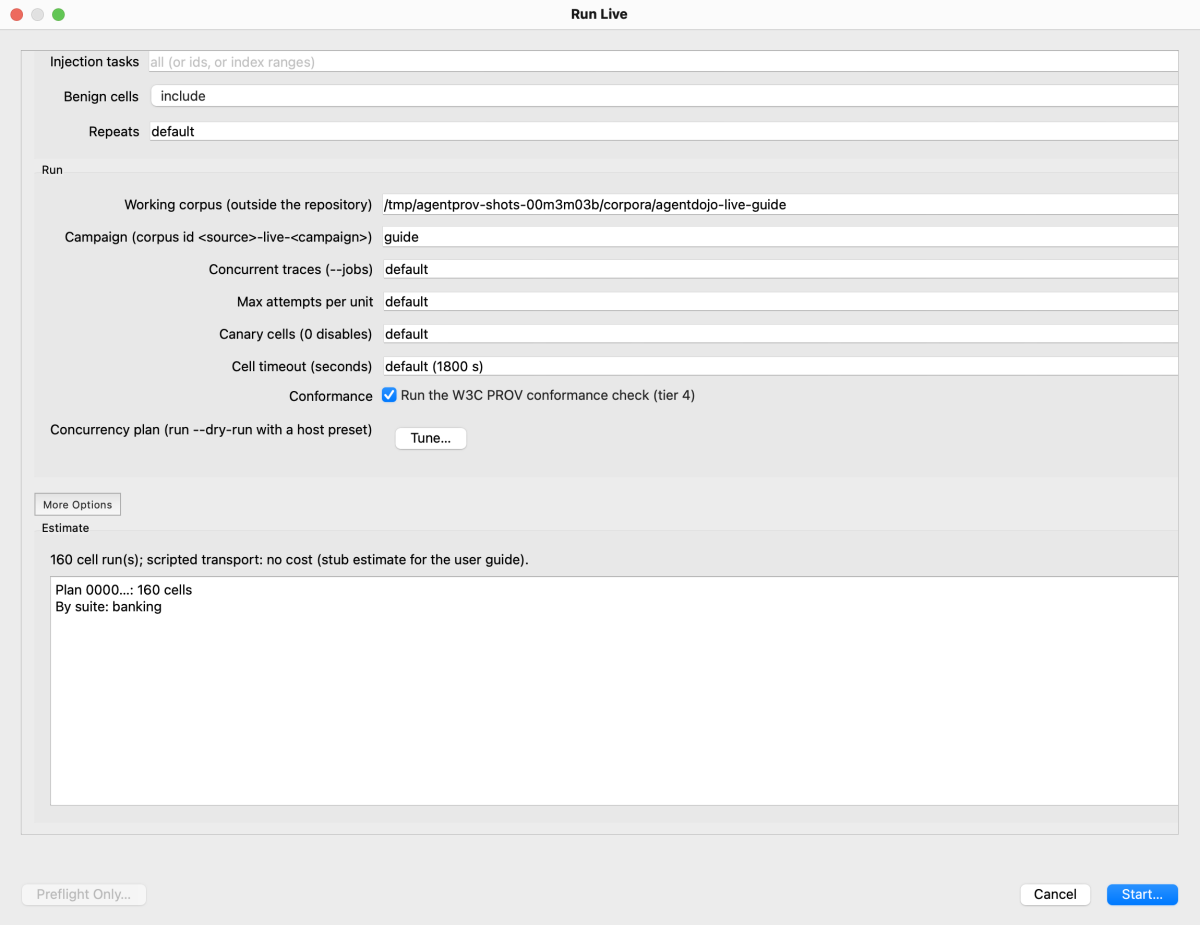
The rest of the dialog: the working corpus and campaign, concurrency, attempts, canary, cell timeout, the conformance box, Tune… and the estimate (a stub estimate in the screenshot).
- Run. The working corpus (outside the repository), the campaign (the corpus id is
<source>-live-<campaign>), concurrent traces, attempts, canary cells and the cell timeout. Tune… computes a concurrency plan with a host preset (agentprov run SOURCE --dry-run --m5ultraor--preset NAME); for a local model it passes the endpoint and the model id, so the model's Local Models settings apply. - Estimate. After every change the dialog asks
agentprov estimate … --format jsonand shows its headline and lines: cells, attempts, time and cost at p50 and p90, by suite and attack. The app computes no number itself. - More Options holds every other option of
agentprov runthat has no widget of its own, including--defenceand--defence-endpoint(defences) and the Inspect options (--task,--samples,--message-limit,--token-limit,--time-limit,--judge,--cell-size; Inspect tasks). - Start… shows the cost confirmation and starts
agentprov run …as a job. For a real model that confirmation names the endpoint and its host, the model, the containment (withsandbox-execmarked "enforced by the probed macOS profile" anddedicated-userandvmmarked "declared by you, not enforced or checked by AgentPROV"), the estimate, the worst case and the caps, and it enables Start only after you tick consent ("I consent to API costs for up to N cell attempts", or its local-run variant). The preflight probe's bound (up to three calls) is part of that text. For a scripted run it is the R1 confirmation. Preflight Only… runs the endpoint probe only; it needs consent but no caps.
Models, keys and containment
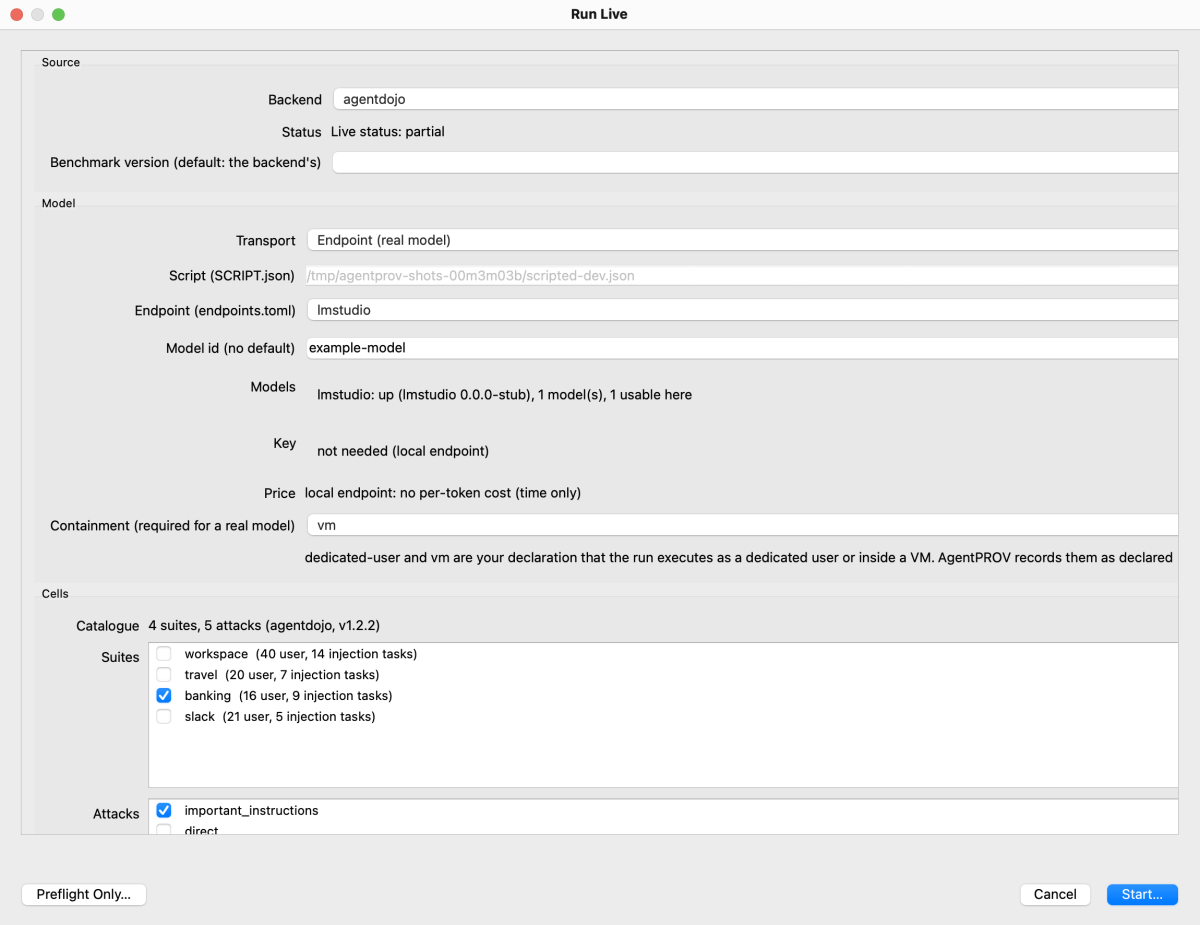
Run Live with a local endpoint selected. The model list is a stub listing of a placeholder model (example-model);
no server was queried and nothing was started. The API cap fields (calls, USD, $/M in, $/M out) appear only for an API
endpoint, under the key line; they are hidden for a local one.
- The model picker is a client of
agentprov models. For a local endpoint it shows whether the server is up and which models it serves (agentprov models --endpoint lmstudio --format json). For an API provider it shows the dated cached list; Refresh List fetches it after a confirmation (agentprov models --endpoint openrouter --allow-network, R2: list calls only, no tokens and no cost). For a local model, Identity… shows the observed identity record that a run records (agentprov models --endpoint lmstudio --model-id ID). - Keys come from the OS keychain only, through the CLI (
agentprov keys, andrun --keychain); the app never reads.envand never shows a key. Store Key… runsagentprov keys set VAR --stdin. A local endpoint's key is optional (oMLX'sOMLX_API_KEY, D-827): the dialog shows it as optional, a missing one never blocks Start, and the picker and Identity… pass--keychainso that a stored key reaches the server. - Containment offers only what applies here:
sandbox-execon macOS, anddedicated-userandvmeverywhere. The note under the field says thatdedicated-userandvmare your declaration, recorded asdeclared_by: operatorand neither enforced nor checked (chapter 7).
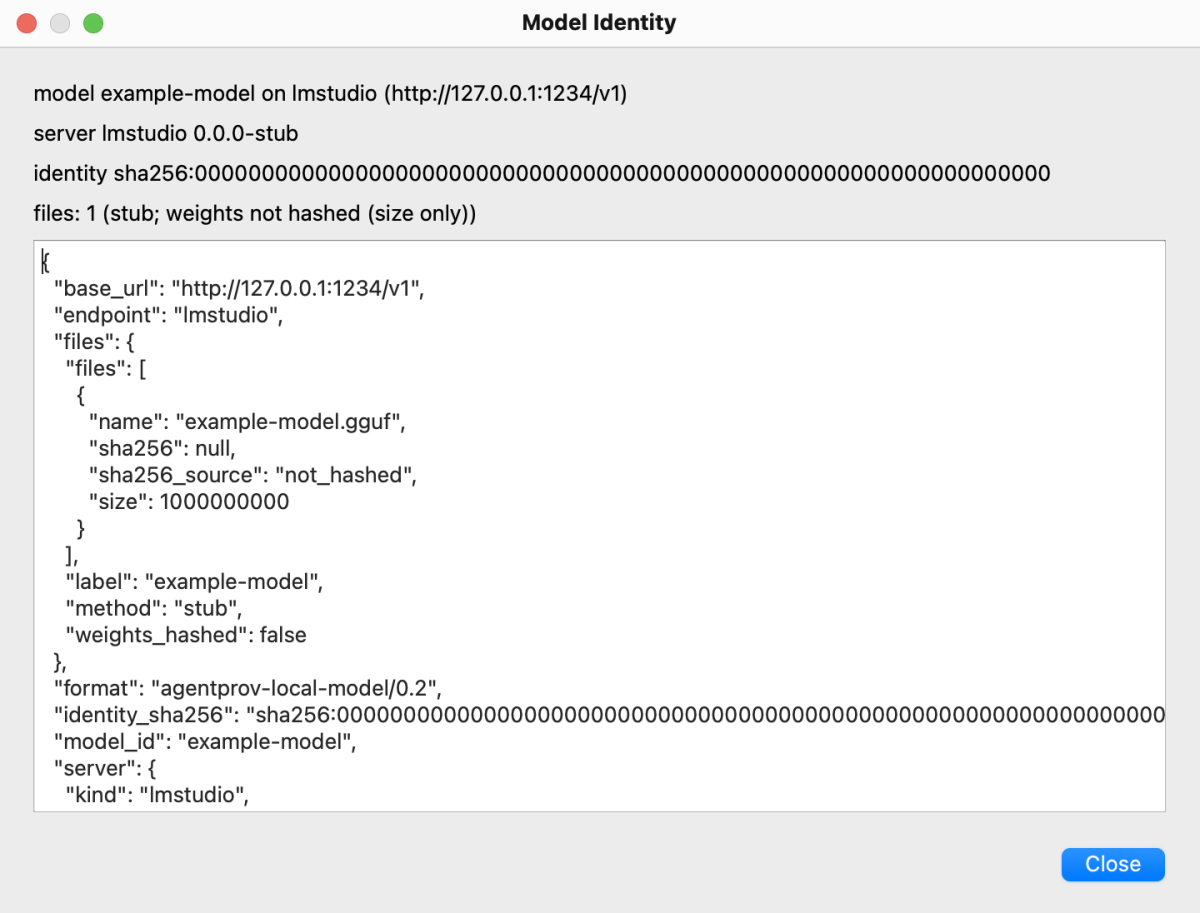
Model Identity for a placeholder local model (a stub record): server, identity digest, files and whether the weights were hashed.
CLI equivalent of the whole dialog: agentprov estimate … with the same options, then agentprov run …; the
parity test checks that every input of the dialog is a run option.
Live preview (experimental)
For a running run job, Live Preview (experimental)… opens a window that draws a provisional graph from the capture
stream as it is written: dashed boxes under a PREVIEW watermark and the banner "Preview: provisional graph from the
capture stream. Not corpus provenance; the engine derives the real PROV after recording." It reads only event metadata
(never content, never tool names) through a helper process that writes nothing. It is not corpus output and has no CLI
equivalent.
Logs
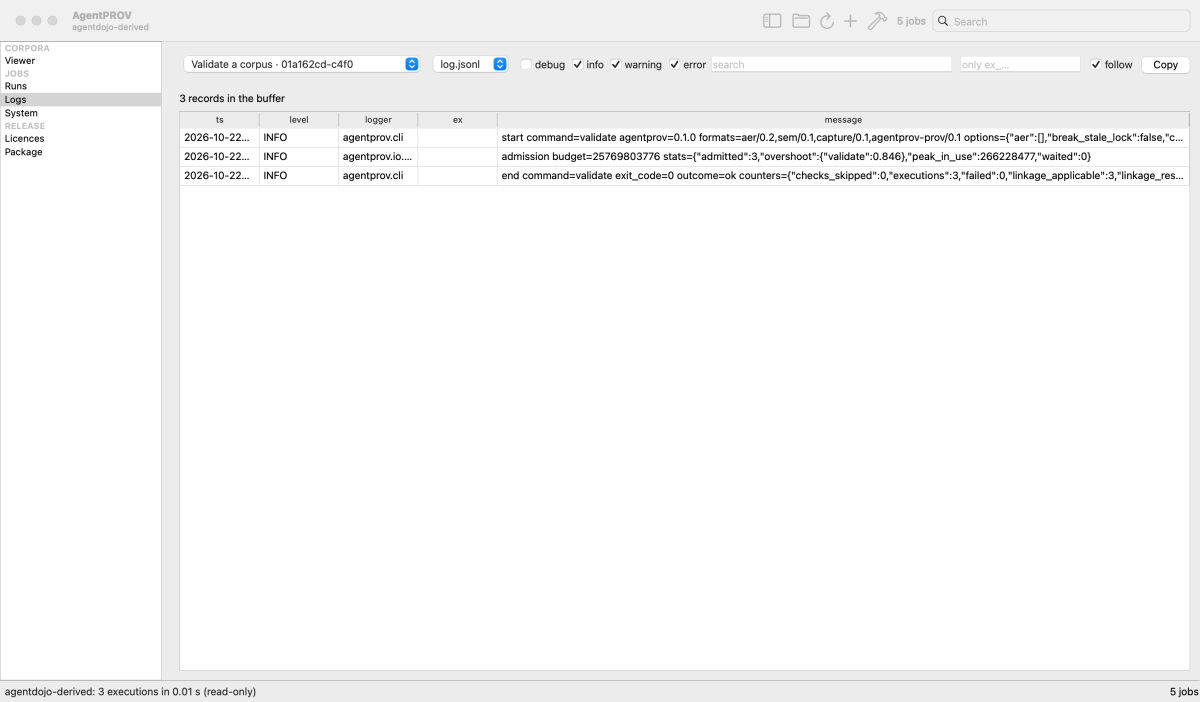
Logs: the three records of the demo validate job.
Choose a job and a source (log.jsonl or stderr.txt), the levels to show, a text filter and an execution filter
(only ex_…). follow keeps the view at the end while the job runs; Copy copies the selected rows. CLI equivalent:
agentprov jobs follow ID --log. Logs never hold content unless a job ran with --log-content, which the app never
passes.
System
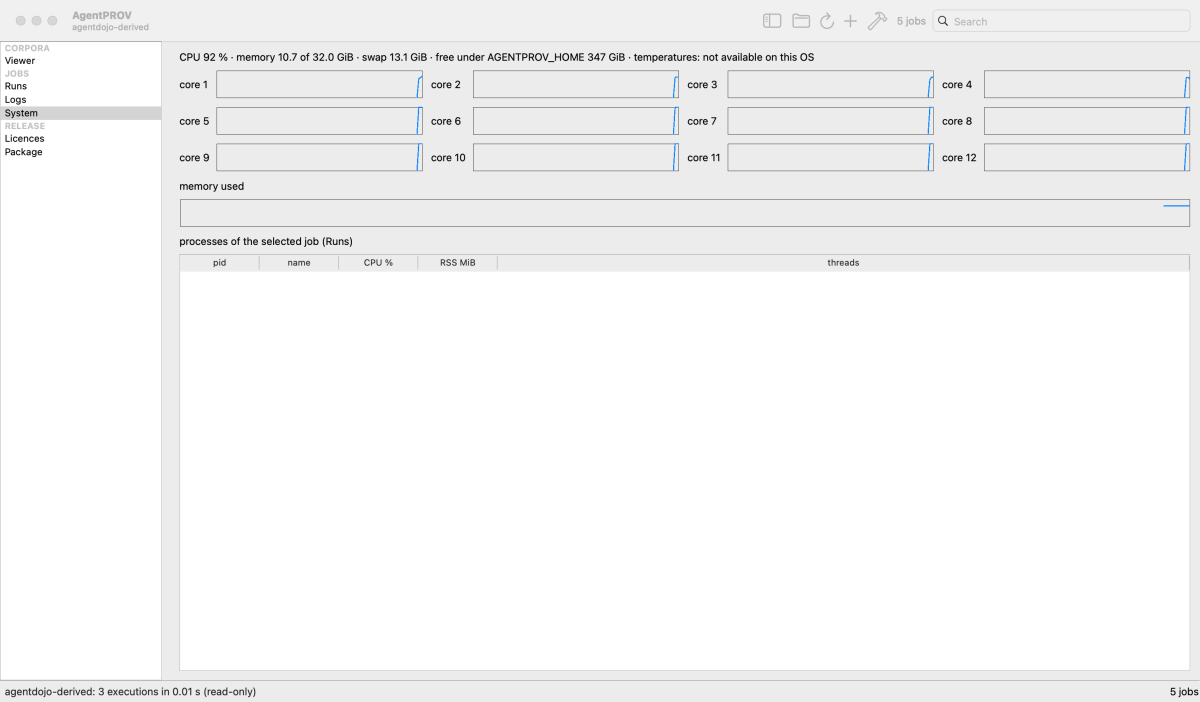
System, sampled once a second while the page is visible.
The CPU use per core, memory and swap, the free space under AGENTPROV_HOME, and the processes of the job selected in
Runs. Presentational only; no CLI equivalent.
Licences
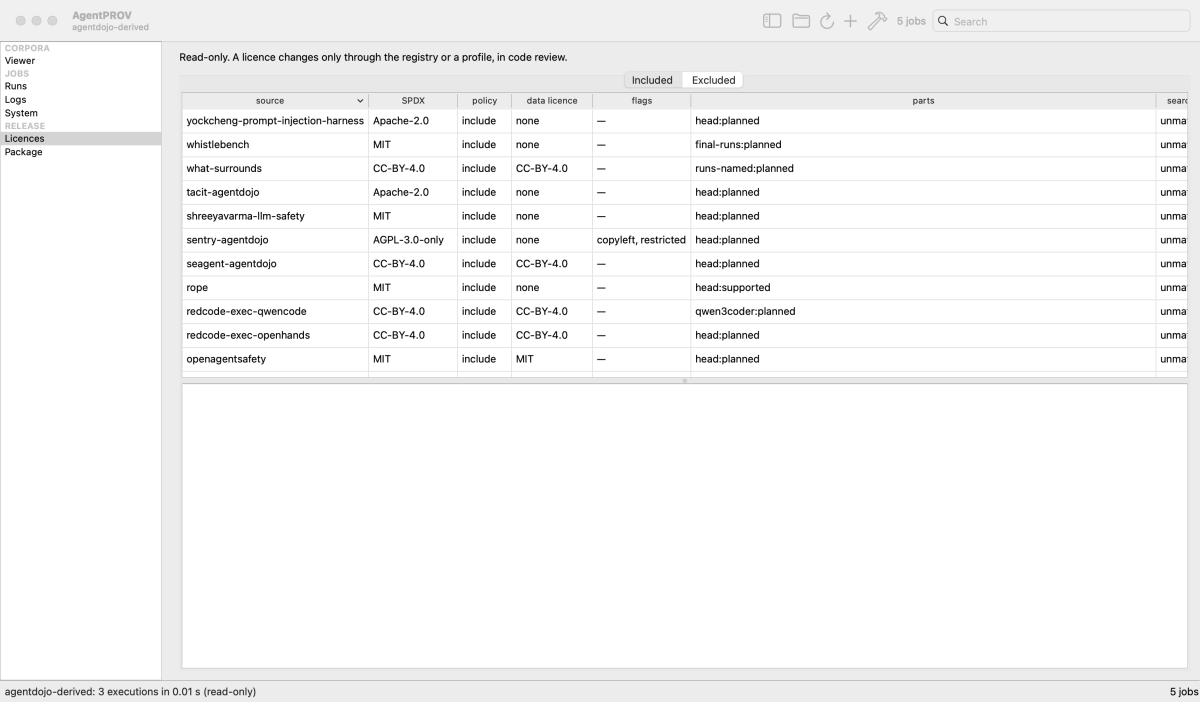
Licences, Included tab.
Included lists every registered source with its SPDX id, licence policy, data licence, flags (for example a
use restriction) and parts, with the attribution details of the selected source. Excluded lists the records the
systematic search excluded, with their exclusion codes. The page is read-only: a licence changes only through the
registry or a profile, in code review. CLI equivalent: agentprov info SOURCE (the licence section) and
chapter 14.
Package
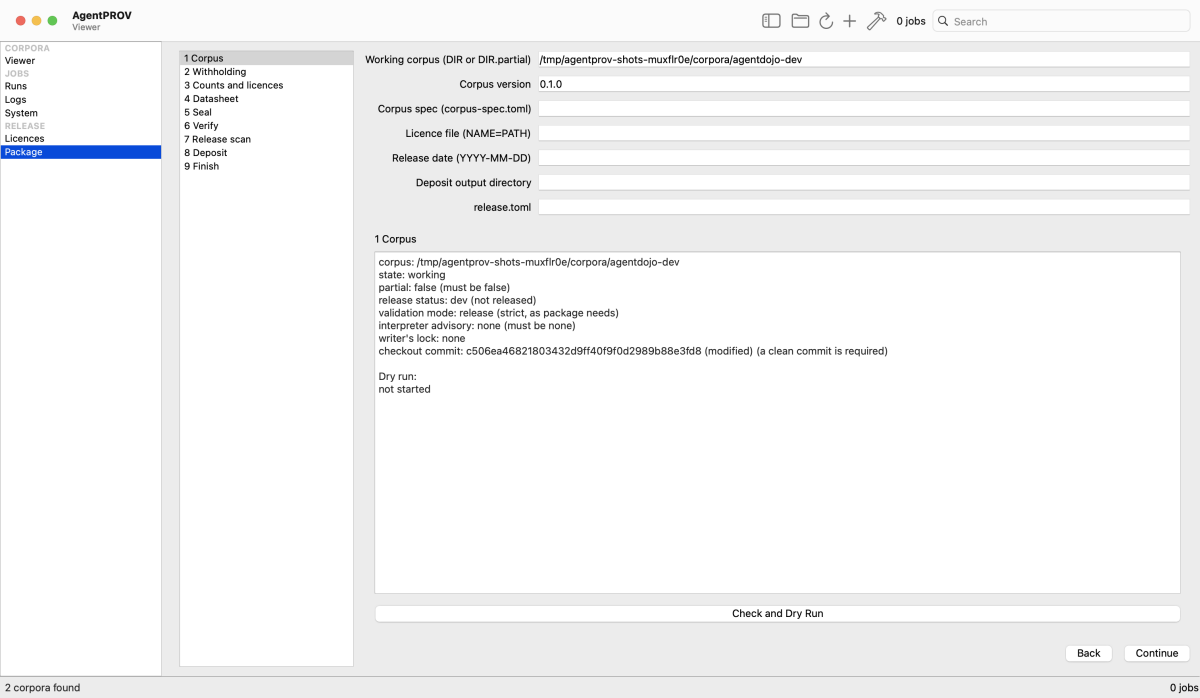
Package, step 1 on the working demo corpus: the preconditions it checks (corpus, state, partial, release status, validation mode, interpreter advisory, writer's lock, the checkout commit) before a dry run.
Step 1 reports the corpus's release status (dev (not released), release candidate, or sealed, created <date>)
and its validation mode on separate lines. Package walks through sealing and the deposit draft in nine steps: 1 Corpus, 2 Withholding, 3 Counts and licences,
4 Datasheet, 5 Seal, 6 Verify, 7 Release scan, 8 Deposit, 9 Finish. Each step that does something is a job:
| Step | Action | CLI equivalent |
|---|---|---|
| 1 Corpus | Check and Dry Run | agentprov package --corpus DIR --corpus-version X.Y.Z --dry-run |
| 2–4 | show WITHHELD.json's counts, the manifest's counts and licences, and the datasheet as plain text (WITHHELD.json and DATASHEET.md once the corpus is sealed) |
agentprov inspect DIR |
| 5 Seal | Seal… (or Revalidate (full recompute)… for a corpus marked unvalidated) | agentprov package --corpus DIR --corpus-version X.Y.Z [--spec …] [--licence-file …] [--release-date …] |
| 6 Verify | Verify (chain, release) with the root digest from the seal | agentprov verify --corpus DIR --level chain --release --root-digest sha256:… |
| 7 Release scan | shows whether <corpus>.release-scan.json exists; the scan itself runs in a terminal |
uv run python tools/release_scan.py DIR |
| 8 Deposit | Build Deposit…, then a verification of the draft | agentprov package --deposit OUT --corpus DIR --metadata release.toml, then agentprov verify --corpus OUT/<corpus>.meta.zip |
| 9 Finish | lists the archives; "Nothing has been uploaded"; Write release.toml from the Zenodo settings… and Create Zenodo drafts… (D-880) | a release.toml template; python -I -m agentprov_zenodo DIR --target T --create-draft --keychain …, then --cross-link |
Nothing is ever uploaded until you ask: Create Zenodo drafts… runs the draft-only uploader for the deposits you list (one per licence class; the first is the umbrella) in a terminal pane, where you type each confirmation phrase, and then cross-links the drafts. It makes unpublished drafts only: you press Publish on Zenodo's website. The token comes from Settings › Keys (the OS keychain); the app never reads it. macOS and Linux only (a pseudo-terminal). See chapter 5.
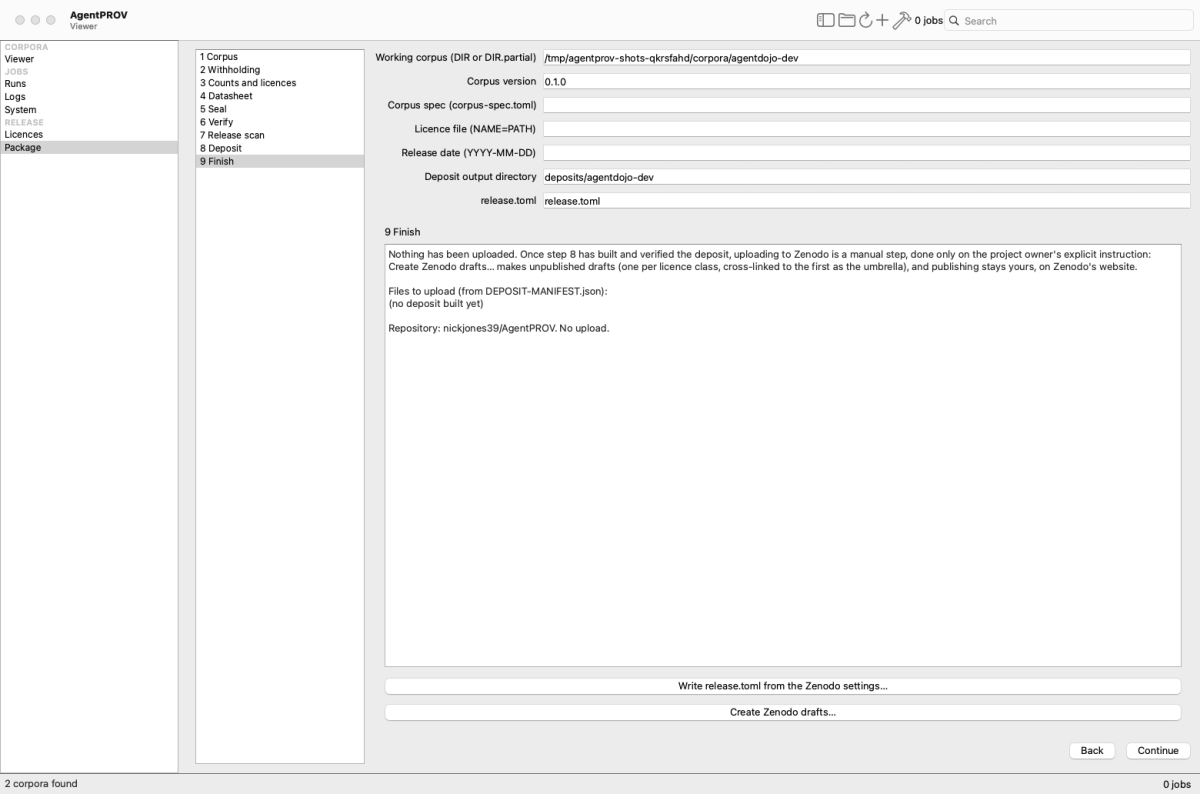
Package, 9 Finish, before any deposit is built (so "Files to upload" is empty). The text above the list does not depend on the steps before it. The two Zenodo actions sit below it. Neither was pressed for the picture.
- Write release.toml from the Zenodo settings… writes a template to the release.toml path above, from Settings › Zenodo: the creators, and the concept DOI if one is set. It never overwrites a file that exists. Its title is empty, so Build Deposit… refuses it until you fill in the title, the description and the keywords.
- Create Zenodo drafts… opens the dialog below. Its first line holds this page's deposit directory, and the root digest too if the seal ran on this page in this session; otherwise add the digest yourself.
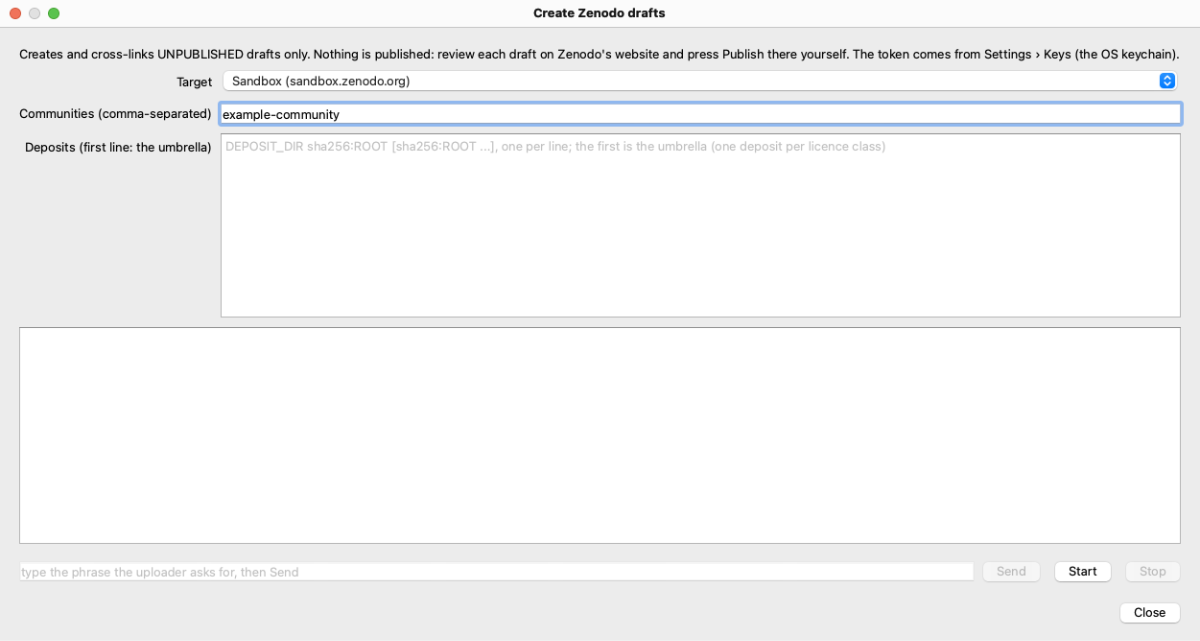
Create Zenodo drafts, as it opens. The target and the communities come from Settings › Zenodo; the community here is a
placeholder. The Deposits field shows its format: one deposit per line, DEPOSIT_DIR sha256:ROOT (more roots if the
deposit holds more corpora), and the first line is the umbrella. An index umbrella (package --index) is named alone,
with no root digest. Start was not pressed.
What Start does, in order:
1. Create: for each deposit without a receipt beside it, the uploader runs with --create-draft --keychain and any
--community. A deposit whose receipt is not complete gets --resume; one that is complete is skipped with a
note.
2. Cross-link: with two or more deposits, a --cross-link run follows, with the first deposit as the umbrella.
3. Your phrase: each run shows its consent screen in the pane. Type the phrase it asks for in the field below the
pane, then press Send (or Return).
A run that ends with an error stops the rest. Stop ends the current run, and closing the dialog does the same. The last line is a reminder that nothing is published.
Settings
Settings… (⌘, on macOS) has thirteen panes. General, Appearance and Viewer are the app's own preferences. Every other value
is an agentprov settings key, read and written through the CLI (agentprov settings list|get|set|unset), so the CLI
and the app share one store ($AGENTPROV_HOME/settings.json; never a key).
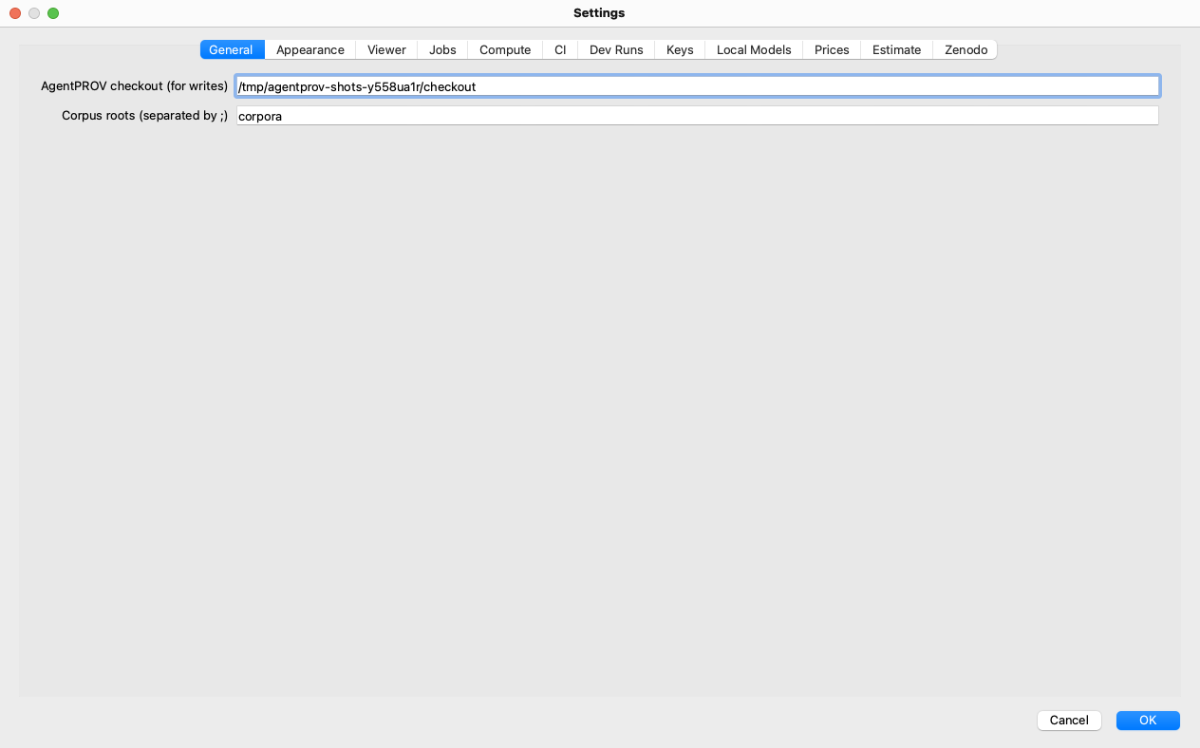
General: the AgentPROV checkout the app runs the CLI from; the agentprov program it runs when no checkout is set (empty:
found on PATH), with the CLI in use shown below it; and the corpus roots the Viewer scans.
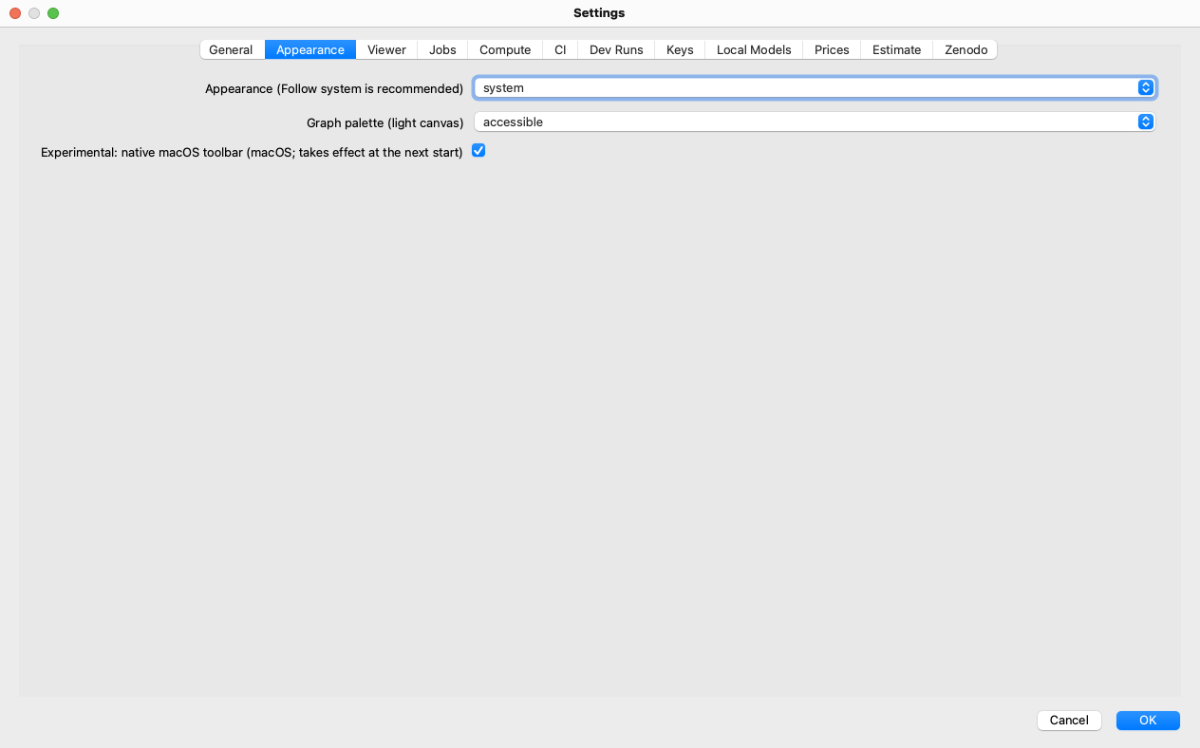
Appearance: follow the system, light or dark; the graph palette (accessible or exact PROV colours); the experimental native macOS toolbar.
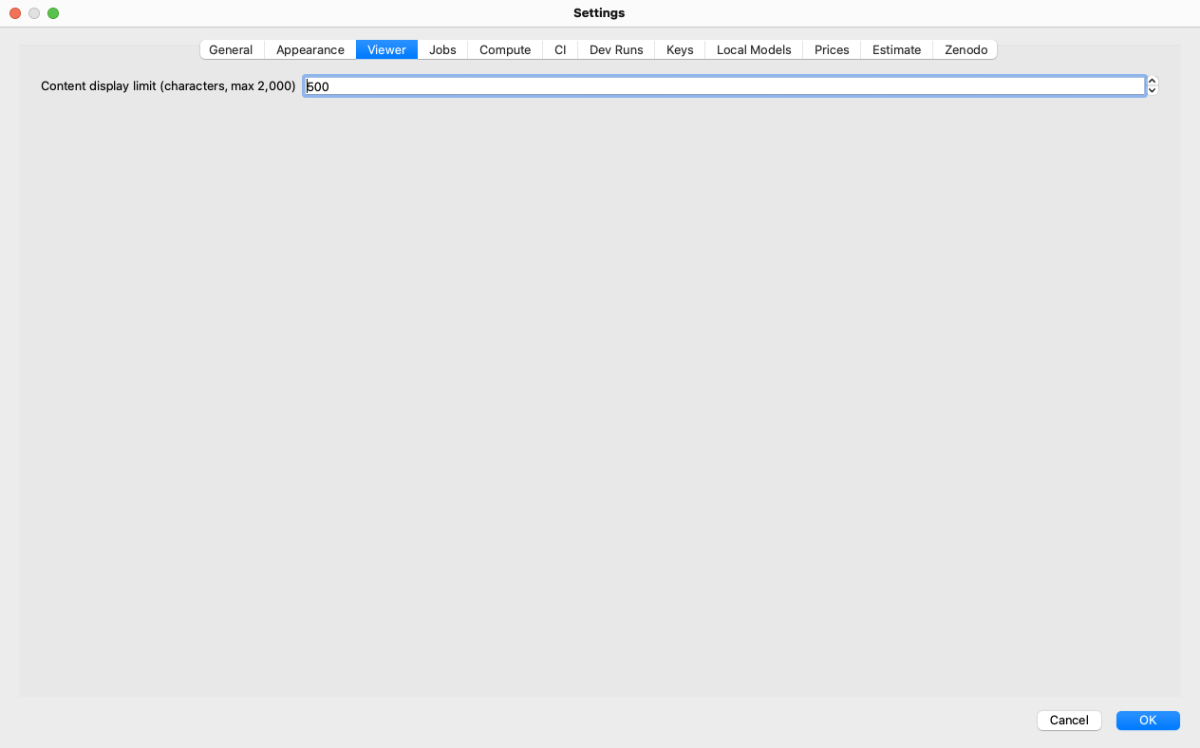
Viewer: the content display limit (characters shown when Show content is on; at most 2,000).
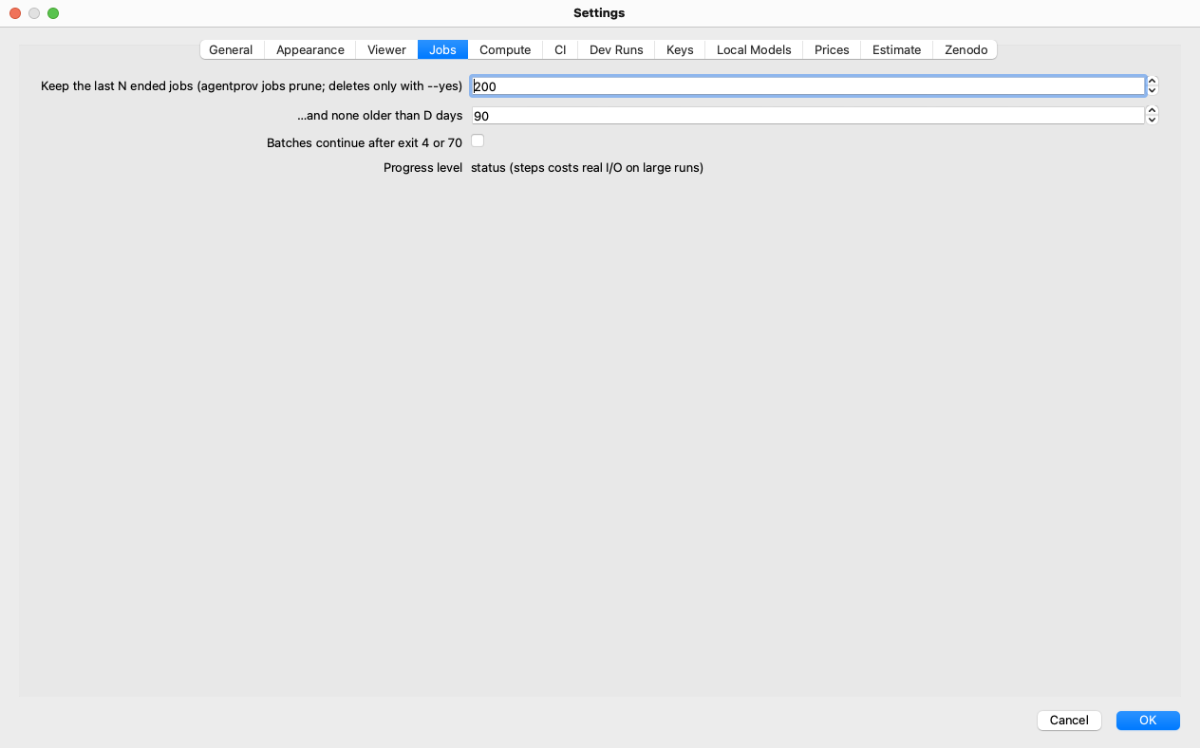
Jobs: job retention (jobs.retention, jobs.retention_days, used by agentprov jobs prune) and whether batches
continue after exit 4 or 70 (jobs.continue_on_failure).
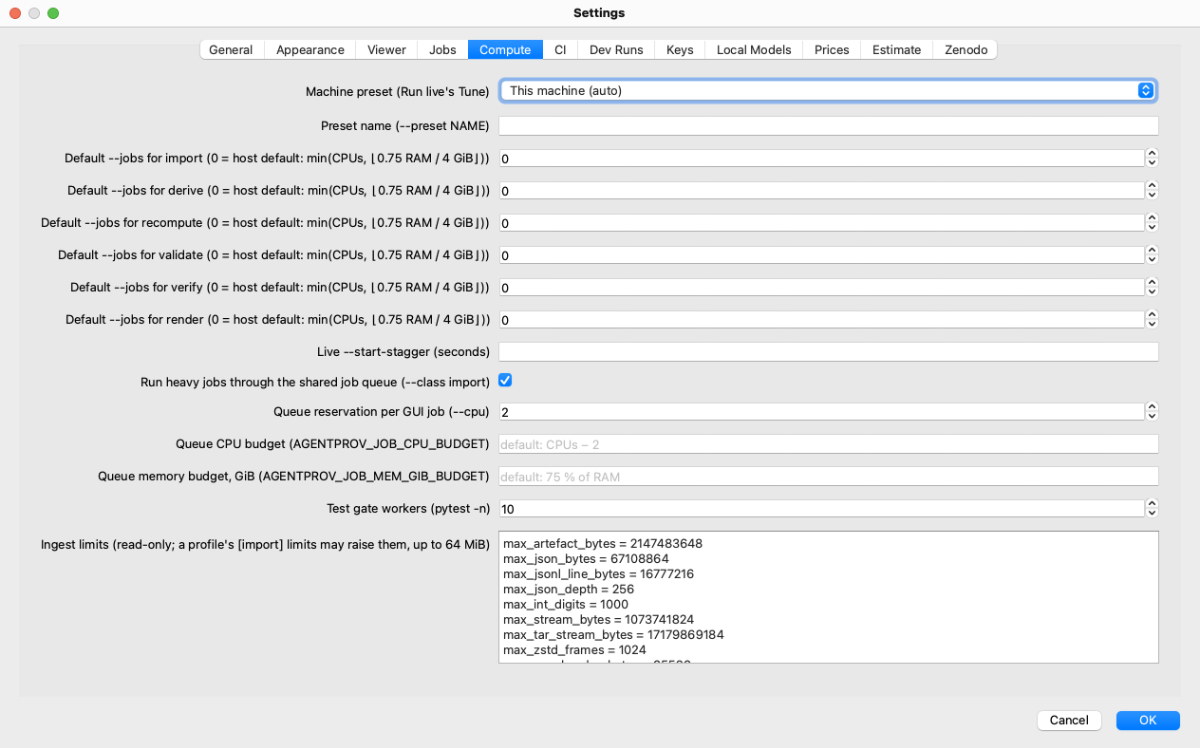
Compute: the machine preset, default --jobs per command, the live start stagger, whether heavy jobs go through the
shared job queue and with how many CPUs, the queue budgets, the test gate workers, and the effective ingest limits
(read-only). The machine preset (compute.preset) is read by agentprov estimate; Run Live's Tune uses --m5ultra
unless More Options names another preset. The live start stagger (compute.start_stagger) and the test gate workers
(compute.gate_n) are stored but not used yet (planned for v0.2): tools/ci_local.py takes its worker count from
$AGENTPROV_SUITE_WORKERS, else from the host. The tier-4 cache's size cap, compute.validation_cache_gib (D-894), has no field here: set it with agentprov settings
set (chapter 10).
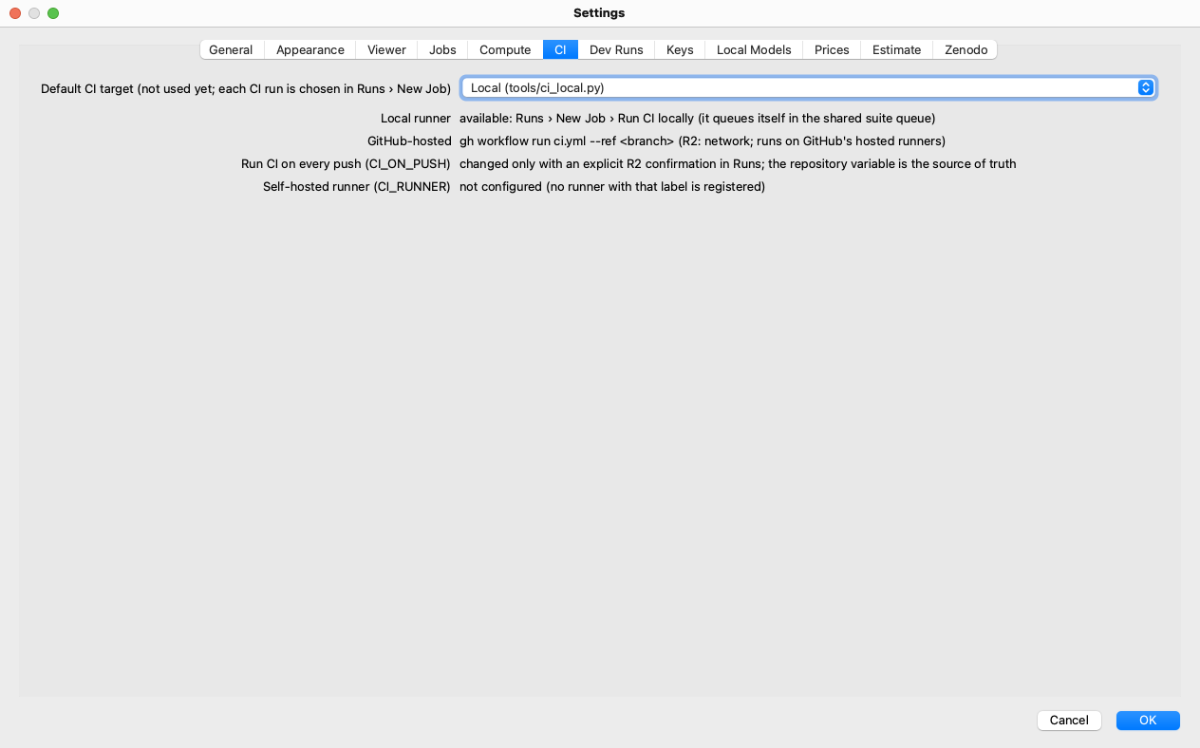
CI: the default CI target (local tools/ci_local.py, GitHub-hosted or a self-hosted runner; not used yet) and how
each is switched.
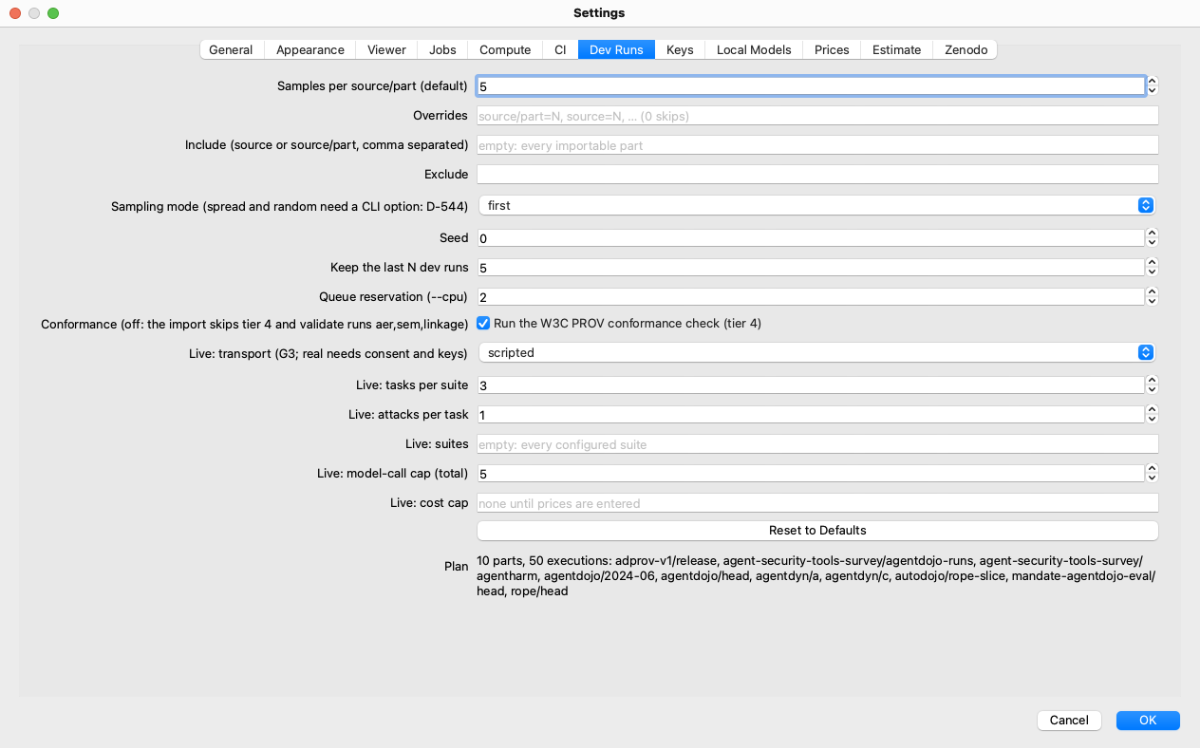
Dev Runs: samples per part, per-part overrides, include and exclude lists, sampling mode and seed, retention, the queue reservation, the conformance switch, the live dev run's settings and caps, and the resulting plan.
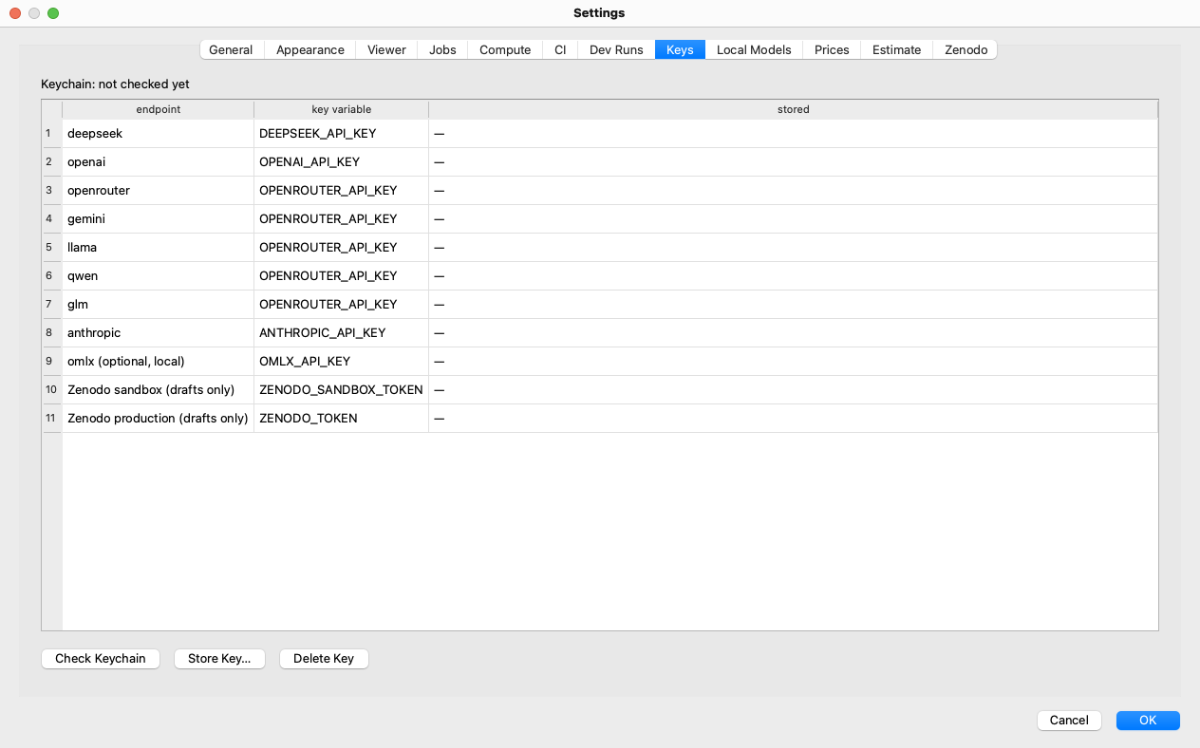
Keys: the key variable of each endpoint and whether it is stored. Nothing is read from the keychain until you press
Check Keychain (agentprov keys status, then agentprov keys list, which show key names only). The last endpoint row
is oMLX's optional key, OMLX_API_KEY ("omlx (optional, local)", D-827): store it only if your oMLX server is set up
with an API key. Below the endpoints come the Zenodo tokens of the draft-only uploader, ZENODO_SANDBOX_TOKEN and
ZENODO_TOKEN (D-880). The screenshot shows names only; the keychain was not checked.
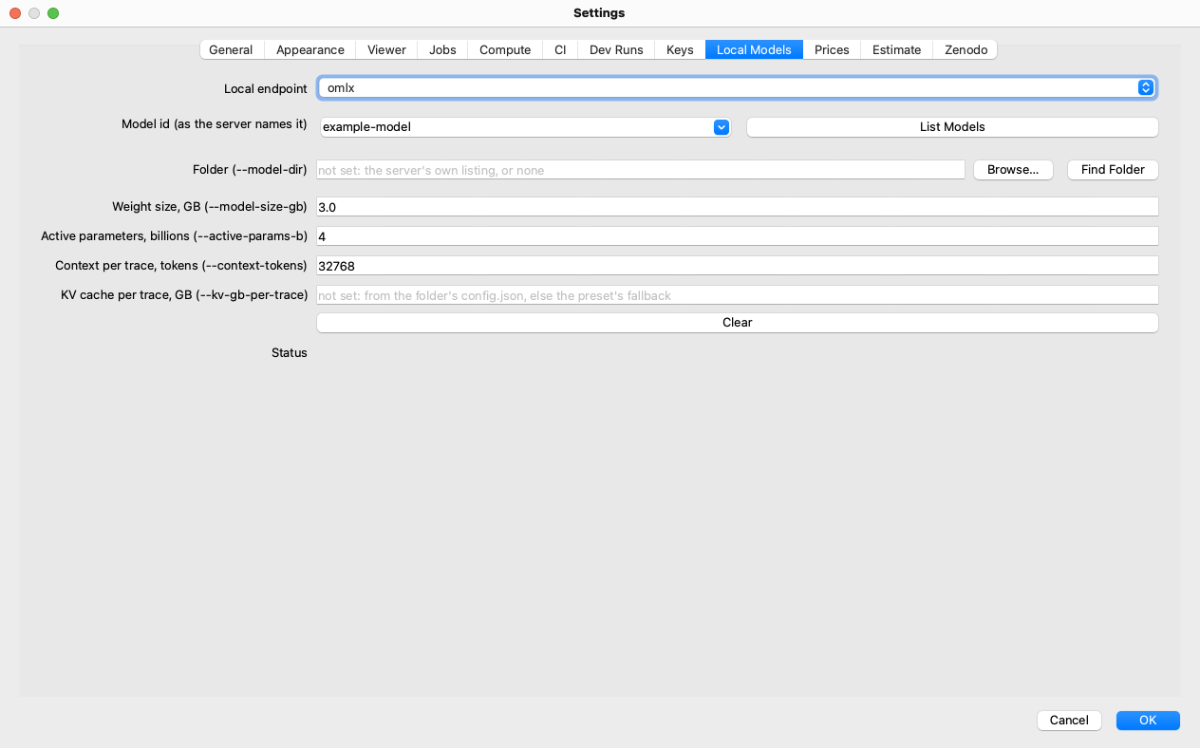
Local Models (D-828): what you know about a local model, which run uses when you give no flag (flag, then this
setting, then the model's folder, then the preset). Pick a local endpoint and a model (List Models asks the server,
agentprov models, with the keychain's key for a server that has one), then the folder (Find Folder looks in
oMLX's, the Hugging Face cache's and LM Studio's folders, agentprov models --find-folders; Browse… picks one), the
weight size in GB, the active parameters in billions, the context per trace and the KV cache per trace. An empty field
is unset, and its grey text says what decides the value instead. Every model's edits are kept while you switch models;
OK saves only the keys that changed, and Clear empties the model's fields. The screenshot shows a placeholder model
(example-model on omlx) typed into the form; nothing was saved and no server was asked.
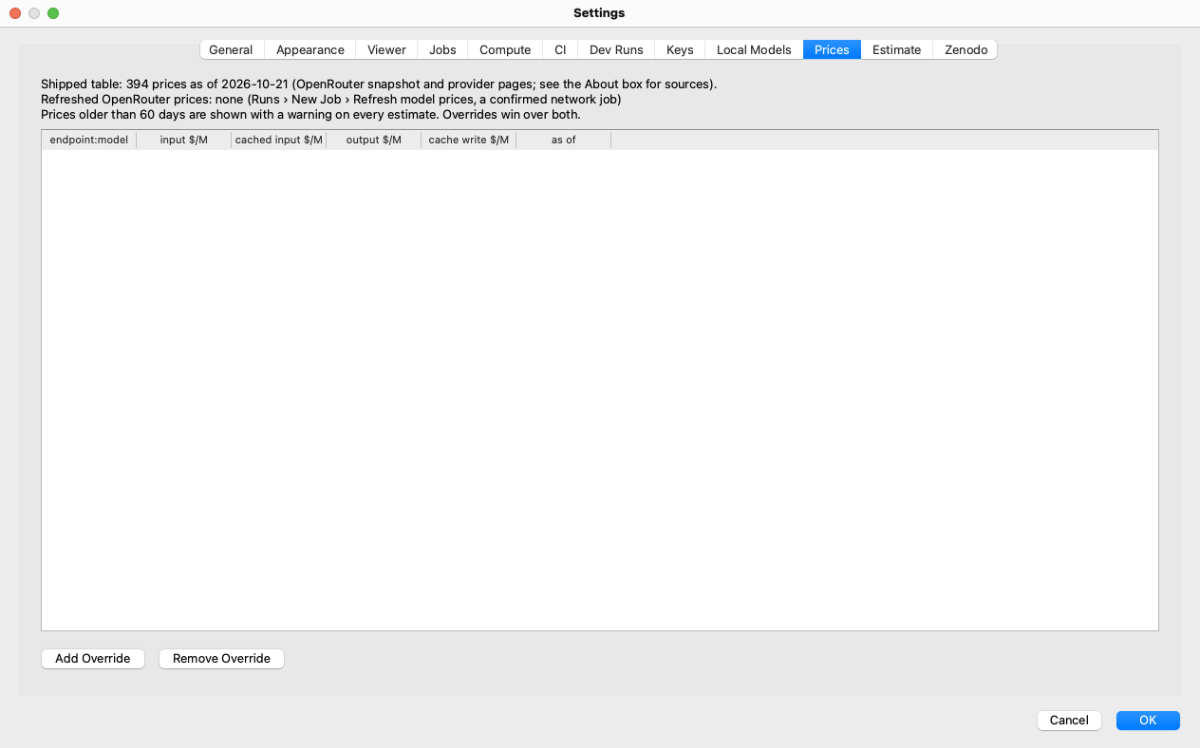
Prices: the shipped price table's date, refreshed OpenRouter prices, and your per-model overrides
(agentprov prices list, set, unset).
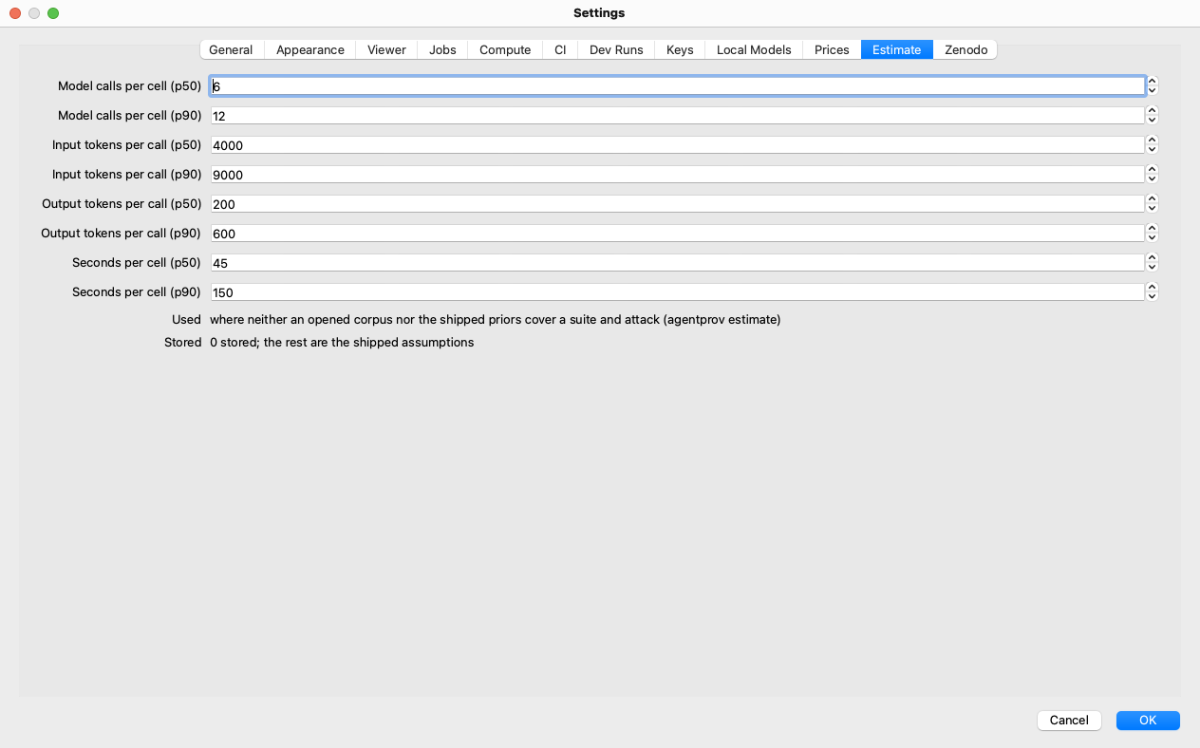
Estimate: the default p50 and p90 model calls per cell, input and output tokens per call, and seconds per
cell, used where neither an opened corpus nor the
shipped priors cover a suite and attack (estimate.default.*).
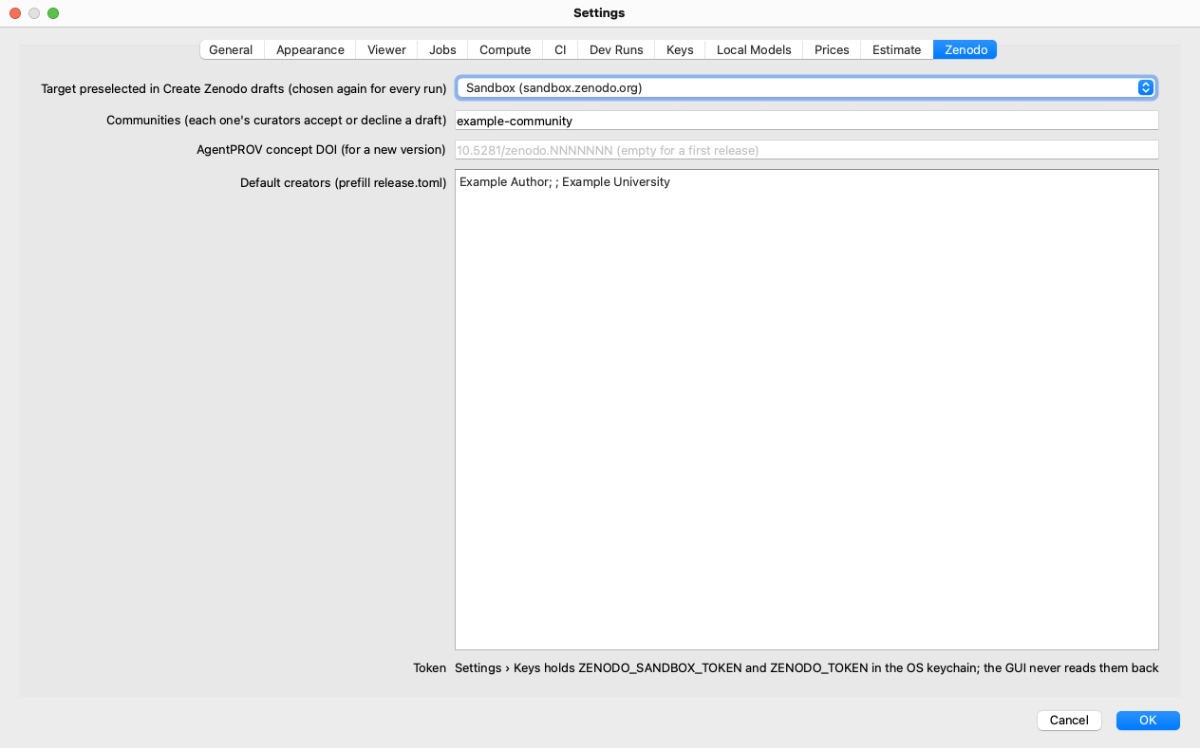
Zenodo (D-880): what Create Zenodo drafts… and the release.toml template prefill. The target is only preselected; you
still choose it every time. Then the community identifiers, the AgentPROV concept DOI (for a new version only; empty for
a first release), and the default creators, one per line as Name; ORCID; Affiliation. No token is stored here: the
tokens are rows of Settings › Keys. The community and the creator in the picture are placeholders, typed in but not
saved.
| Pane | Stored where | CLI equivalent |
|---|---|---|
| General, Appearance, Viewer | the app's own preferences | none (presentational, or the app's own checkout and roots) |
| Jobs, Compute, CI, Dev Runs, Estimate | agentprov settings keys jobs.*, compute.*, ci.*, devrun.*, estimate.default.* |
agentprov settings list --prefix jobs., agentprov settings set KEY VALUE, … |
| Local Models | agentprov settings keys local_models.<endpoint>.<model id>.<field> (D-828) |
agentprov settings set local_models.omlx.<model id>.active_params_b 13; agentprov models --endpoint omlx --model-id ID --find-folders |
| Keys | the OS keychain (service agentprov) |
agentprov keys status, list, set, delete |
| Zenodo | agentprov settings keys zenodo.* (D-880) |
agentprov settings set zenodo.communities agentprov |
| Prices | price overrides | agentprov prices list, get, set, unset, refresh |
| Assistant | agentprov settings keys assistant.endpoint, assistant.model (D-1010) |
agentprov settings set assistant.endpoint openai; agentprov assist --question TEXT |
A pane that runs agentprov and cannot read its settings keeps its fields greyed out and says above them why and what to
set: with no checkout and no installed agentprov, set one of them in Settings › General, press OK and open Settings
again; for a CLI that fails, the pane shows its exit code and its reason (D-1030).
Help: Docs and Assistant
Docs shows this user guide: the chapters on the left, the chapter on the right, Find in this chapter and Back.
It reads the guide of the checkout set in Settings › General; with no checkout (or one without docs/user-guide) it
shows the copy that came with the app, the guide as it was when the bundle was built. The line above the chapters says
which one you are reading (D-1030). A link to another chapter opens it at its heading. A web address is copied to the
clipboard instead of opened: the app opens no web pages. When there is neither (the app run from source without a
checkout), the page says where to set one; the guide is also online at https://w3id.org/agentprov/docs/.
Assistant is a chat with a model you choose, to ask how to do something in AgentPROV. There is one conversation; New Chat clears it. Until a model is set up the page says so, with Open Settings… for Settings › Assistant:
- Server is a local model server (oMLX, MLX
mlx_lm.server, LM Studio, Ollama, Splash, Strata, llama.cpp, vLLM, or Other for any OpenAI-compatible one) or API provider. A local server fills Base URL with its usual address (Splashhttp://127.0.0.1:8003/v1, oMLX:8000, LM Studio:1234, Ollama:11434); change it if yours listens elsewhere, and type it for Strata and Other. Only loopback addresses are accepted. A local server needs no key. - Provider (for an API provider) is
openai,anthropic,openrouter,deepseek, …; store its key in Settings › Keys (OPENAI_API_KEY,ANTHROPIC_API_KEY, …). - Model: Refresh asks the local server which models it serves (
agentprov assist --list-models --server splash) and lists the loaded one first, marked (loaded), and chooses it: Splash, Ollama and LM Studio say which model is loaded; the others list what they serve. For a server that runs one model at a time, such as Splash, choose the loaded one. You can also type a model id.
Each message runs agentprov assist (CLI equivalent: agentprov assist --question "How do I verify a corpus?"), so the
app itself opens no connection and never holds the key. It is the checkout's CLI, or without a checkout the
agentprov installed with pip install agentprov (see Bundles above); until there is one the page says what to set
in Settings › General. The command picks the passages of this guide, the README, the --help of every agentprov
command and the code's module descriptions that best match the question, and sends them with the conversation (an
installed CLI outside a checkout uses the copy of this guide in its package and the installed code's descriptions); the answer lists the files it drew on under Sources. agentprov assist --question TEXT
--show-context prints that selection without calling a model. Nothing from a corpus is sent. For an API provider the
messages and passages leave this machine and the provider bills the tokens; the page says so under the message field.
Answers are model output: check them against the guide before you rely on them.
About
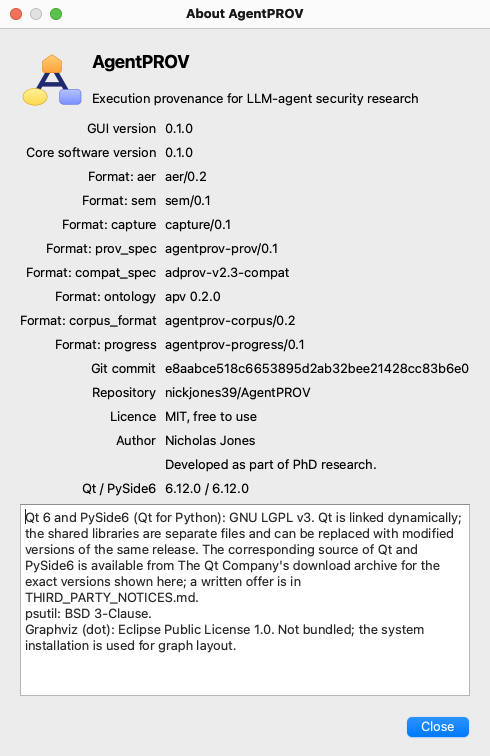
About: the AgentPROV mark, the app and core versions, the record formats, the checkout's commit (marked "modified" when its tree has changes), the repository, the licence (MIT), the author, Qt and PySide6 versions, and the third-party notices.
CLI equivalent: agentprov --version and agentprov info.